

For U.S. players · Updated October 26, 2026 · By Shivam Das
Quick answer: Fourteen code entries across six smaller Roblox experiences are listed below, including Cat Battles, Destroy a Vault, +1 Assassin Leveling, Survive a Million Monkeys, BlockSpin, and Karinderya!. The important caveat: available public records do not prove that all 14 were released after midnight or that every code has been personally redeemed today. The game’s own code box is the final test; codes can expire or be removed without warning.
This roundup prioritizes small-to-mid-sized experiences that are easy to miss in large “all Roblox codes” lists. We checked developer-published game descriptions and code trackers updated around October 26, 2026, and separated clearly listed codes from claims about exact release times. Don’t confuse “listed as active” with a guarantee that a code will work on every account.
All 14 codes at a glance
| Game | Code | Reported reward or status |
|---|---|---|
| Cat Battles | RELEASE |
Free coins; listed in the game description |
| Cat Battles | NEWGAME |
Free coins; listed in the game description |
| Cat Battles | CATS |
Free coins; listed in the game description |
| Destroy a Vault | ADMIN3 |
Reported as an Admin Crate |
| Destroy a Vault | BASESKINS |
Reported cash / base-skin reward; tracker details vary |
| Destroy a Vault | HALLOWEEN |
Reported seasonal candy |
| Destroy a Vault | BUGFIX2 |
Reported time-skip reward |
| Destroy a Vault | 10MVISITS |
Reported Admin Shards |
| +1 Assassin Leveling | LEVELING |
Listed in the developer’s public description |
| +1 Assassin Leveling | WORLD5 |
Listed in the developer’s public description |
| +1 Assassin Leveling | THANKYOU |
Listed by current code trackers |
| Survive a Million Monkeys | MONKEYS |
Game description advertises 1,000 Gems |
| BlockSpin | W7C28D |
Listed by a daily code tracker; verify in-game |
| Karinderya! | HALLOWEEN |
Listed by a daily code tracker; reward not confirmed here |
Release-time note: This is a current-check roundup, not proof that all 14 codes dropped in the overnight window. Public trackers do not consistently provide an exact release timestamp and time zone for every entry. We won’t invent a midnight release claim just to make a headline sound stronger.
1. Cat Battles: three codes published by the developer
Cat Battles by Cute Malt Games is a ring-fighting game where players push, grab, and toss opponents out of the arena. The game’s public Roblox description lists RELEASE, NEWGAME, and CATS for free coins. These are the clearest entries in this roundup because the code strings appear in the game description itself.
Open the official Cat Battles experience on Roblox. Confirm that the creator is Cute Malt Games and that you are in the ring-fighting game, not a different experience with a similar name. Open the settings gear, enter one code at a time, and check the on-screen response.
2. Destroy a Vault: five codes reported in current trackers
Destroy a Vault is a simulator built around rolling for tanks, breaking vaults, and converting gold into cash. Trackers updated on October 26 list ADMIN3, BASESKINS, HALLOWEEN, BUGFIX2, and 10MVISITS as active. Public lists can disagree about rewards or whether a code is still redeemable, so test each one inside the game rather than relying on an old screenshot.
Open Destroy a Vault on Roblox. Look for the Codes section in the game’s shop or settings interface. If a code fails, restart the experience once and retry; if it still fails, treat it as unconfirmed or expired instead of repeatedly entering it.

3. +1 Assassin Leveling: check the newest public list
The developer’s public Roblox description has listed codes including LEVELING and WORLD5; recent trackers also list THANKYOU. A tracker may show a code as active even when the developer changes the public description, so use the current in-game redemption response as the deciding signal.
Open +1 Assassin Leveling on Roblox. Check the creator name, open Settings, and redeem codes individually. A success message is stronger evidence than a third-party page’s status label.
4. Survive a Million Monkeys: one clear code
The game’s public description advertises MONKEYS for 1,000 Gems. This is a particularly useful code to try because the reward is stated alongside the code on the experience listing. It is still possible for developers to remove a code later, so confirm the result in the live game.
Open Survive a Million Monkeys on Roblox. If the code box is available in the lobby, enter MONKEYS exactly as shown and look for the Gems balance or a redemption confirmation.
5. BlockSpin and Karinderya!: two tracker-listed codes
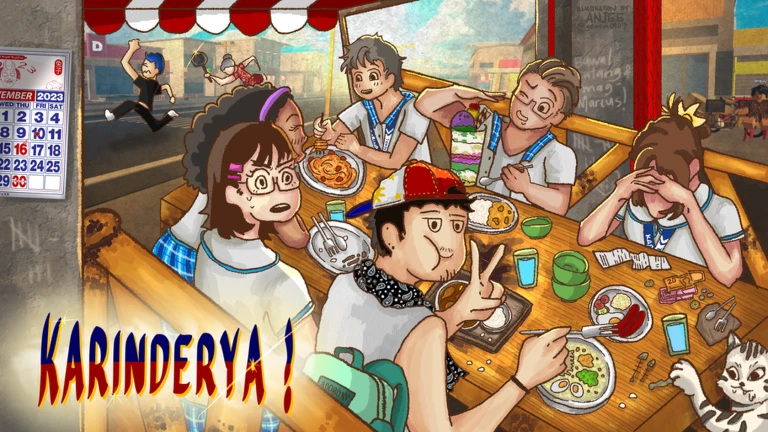
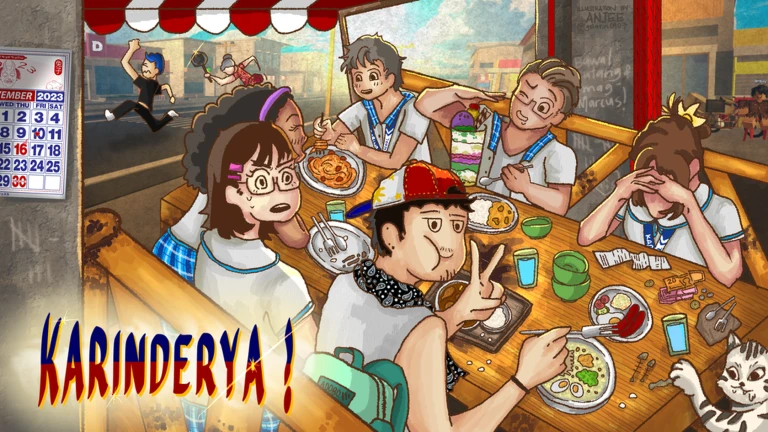
A daily code tracker lists W7C28D for BlockSpin and HALLOWEEN for Karinderya!. These entries are worth checking, but the source record alone does not establish an exact release time, reward amount, or successful redemption on every account.
For BlockSpin, open the experience from Roblox search and confirm the title before redeeming: find BlockSpin on Roblox. For Karinderya!, use the experience search and check the current description: find Karinderya! on Roblox. Avoid look-alike experiences or external pages that ask for your Roblox password.
How to redeem codes without wasting time
- Launch the exact Roblox experience from its official game page.
- Look for Codes, Settings, Shop, or a gift icon; each developer chooses its own menu.
- Copy the code exactly, preserving capitalization and numbers.
- Redeem one code at a time and read the full success or error message.
- Check the reward balance, inventory, or boost timer before trying another code.
- If a code fails, check the game description and a recently updated tracker. Don’t assume a code works just because it appears in a list.
Why “working” codes sometimes fail
- Expired or removed: Developers can remove codes from descriptions or disable them server-side.
- Already redeemed: Many codes are limited to one redemption per account.
- Wrong experience: Codes are game-specific, even when game names look similar.
- Case or spelling mismatch: Copy the exact characters shown in the source.
- Tracker delay: Third-party lists may refresh after the developer changes the code.
For the latest code status, we compared daily tracker listings with public Roblox experience descriptions. Sources include SpawnScope’s daily Roblox code tracker, the official Cat Battles listing, the official Destroy a Vault listing, the official +1 Assassin Leveling listing, and the official Survive a Million Monkeys listing.
Frequently asked questions
Are all 14 codes guaranteed to work today?
No. Some codes are published in the games’ own descriptions, while others are listed by third-party trackers. Developers can disable codes at any time, and we did not personally redeem every code in a live account.
Did all 14 codes release after midnight?
We could not verify that. Public sources do not provide a consistent exact release timestamp for every code. This article covers current code listings and clearly avoids presenting an unverified overnight release time as fact.
Do Roblox codes give free Robux?
These are game-specific rewards such as coins, gems, candy, boosts, or other in-game items—not free Robux. Treat websites promising free Robux in exchange for your password or downloads as unsafe.
What should I do if a code does not work?
Check the spelling, confirm the exact game, review the developer’s current description, and read the error message. If it still fails, the code may be expired, already redeemed, or temporarily unavailable.
Where should I look for new smaller-game codes?
Start with the game’s official Roblox description and developer announcements. Daily trackers can help surface changes, but always confirm the code in the actual experience.
Bottom line
Start with the codes published in the games’ own descriptions—especially Cat Battles and Survive a Million Monkeys—then test tracker-listed codes one by one. This roundup contains 14 code entries across six experiences, but not every code can be independently guaranteed, and the available evidence does not prove that all were released after midnight. Check the in-game response before counting on a reward.
Read more guides in our Roblox news and codes section.