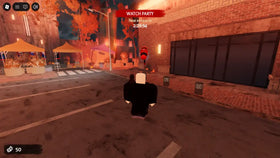
Trying to enter The Hollow and seeing that camera support is unavailable? The key detail is simple: the official Roblox experience listing marks both Camera and Voice Chat as “Not Supported.” That does not mean your phone or computer camera is broken, and it does not mean you need to turn on a webcam to play.
Here is what the listing means, what players should check before changing device permissions, and how to troubleshoot ordinary Roblox camera controls without confusing them with webcam access.
Does Roblox The Hollow require a webcam?
No webcam requirement is listed for The Hollow. Roblox’s official experience page says Camera is not supported, so enabling device-camera permissions is not a confirmed requirement for entering the event. The same page also lists Voice Chat as not supported, meaning players should not expect built-in voice chat in this experience.
Check the current listing directly before you play: The Hollow on Roblox. Experience features can change, so the live listing is a better reference than an old social post or a third-party tutorial.
Device camera vs. in-game camera: what is the difference?
- Device camera/webcam: The physical camera on your phone, tablet, laptop, or desktop. The Hollow’s listing does not advertise camera support.
- In-game view: The viewpoint you use to look around the maze. This is part of normal gameplay and is different from granting an app access to your physical camera.
- Roblox avatar or animation features: Some Roblox features or experiences may support camera-based tools, but that does not mean every experience does.
If you only want to play The Hollow, do not grant camera permission just because a fan guide tells you to. Only change a device permission when you understand which feature needs it and you trust the prompt.
What to check if the camera or view feels broken
1. Confirm you opened the official event
Use the Roblox Presents experience page rather than a lookalike link, code site, or download prompt. The official page identifies the experience as The Hollow and lists its supported features.
2. Check whether the issue is the game view, not the webcam
If your avatar is moving but the view is stuck, awkward, or stuttering, treat it as a gameplay or performance issue first—not proof that camera permission is missing. Leave and rejoin once, then check whether the issue happens in other Roblox experiences too.
3. Reduce graphics if the game stutters
Roblox’s support guidance says graphics lag can cause choppy visuals. On desktop, open the in-experience menu, choose Settings, switch Graphics Mode from Automatic to Manual, and lower Graphics Quality a step at a time. Close unnecessary high-power apps if performance remains poor. These steps target graphics performance; they do not enable webcam support.
Official instructions: Roblox’s guide to reducing lag and Graphics Quality settings.
4. Update Roblox and check for a wider outage
Make sure the Roblox app is updated, restart it, and check the official Roblox Status page if multiple experiences or services are failing. If the problem only happens inside The Hollow, report the exact symptom through Roblox Support rather than downloading a third-party “camera fix.”
Should you turn on Voice Chat instead?
No. Voice Chat is separately listed as not supported in The Hollow, so switching on voice in account settings will not add voice chat to this experience. Roblox’s general voice feature is only available in experiences that support it, and eligible users must meet Roblox’s age-check requirements. See the official Voice Chat setup guide for account-wide information.
Quick answers
Can I play The Hollow without a webcam?
The official listing does not advertise camera support, and it does not list a webcam as a requirement. You should not need to enable physical-camera permission simply to enter the event.
Does “Camera Not Supported” mean my phone camera is damaged?
No. It describes feature support for the experience, not the condition of your device’s camera hardware.
Will enabling camera permission fix a frozen game view?
There is no official indication that it will. First determine whether the problem is a stuck in-game viewpoint, lag, or an app issue; then try safe troubleshooting steps.
Can I use voice chat in The Hollow?
The current official experience listing says Voice Chat is not supported. Account-level voice settings do not override an experience’s supported-feature list.
Bottom line
For Roblox The Hollow, “Camera Not Supported” is a feature-availability note—not a webcam error you must fix to claim event rewards. Use the official experience page, avoid unfamiliar permission prompts and third-party fix downloads, and troubleshoot ordinary view or performance problems separately. Roblox’s event announcement says reward collection continues until November 2, 2026, at noon Pacific time; check the current official event information for any updates.
Sources: The Hollow official experience listing; Roblox’s official event announcement; Roblox Support: Reduce Lag.