U.S. player guide · October 27, 2026 · By Shivam Das
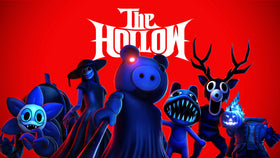
Roblox’s The Hollow Halloween event connects a central survival hub with nine horror-game franchises. That structure can confuse players who see a monster or reward mentioned in a separate experience and assume every task must be completed in the same place. The safest approach is to start at the official event hub, read the current objective, and follow the destination shown in the game rather than guessing from a badge name or social post.
Quick answer: The Hollow is the central event experience, but Roblox says quests can award UGC and rewards as players complete activities in the hub and participating experiences. Not every reward route circulating online has been officially confirmed. Use the live in-game objective as your source of truth.
Start with the official The Hollow hub
Open The Hollow experience on Roblox. Confirm that the creator is Roblox Presents and that the experience matches the platform-wide Halloween survival event described in the official Roblox Newsroom announcement. This helps distinguish the event from unrelated experiences with similar names.
Once inside, read the active quest text carefully. Note the objective, any named destination, and the reward shown. If the quest points you to a participating game, follow that instruction; if it tells you to do something in The Hollow hub, do not assume a task in a separate game will count instead.
The nine horror-game worlds featured in the event
Roblox’s announcement names these franchises and their featured monsters:
- 99 Nights in the Forest: The Deer
- DOORS: Seek
- Dandy’s World: Twisted Dandy
- Piggy: Piggy
- Scary Shawarma Kiosk: The Inspector
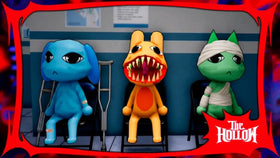
- Animal Hospital: Mimic
- Demonology: Biter
- The Mimic: Hiachi
- Warden: The Overseer
This list identifies the event’s featured franchises; it is not a complete, verified walkthrough of every quest. Roblox’s public announcement does not specify the exact steps for every individual UGC item, so treat detailed routes from unofficial guides as reports until they match the objective displayed in your account.
How to make sure a quest actually counted
- Read before you travel. Capture the exact objective wording in your notes or take a screenshot for your own reference.
- Follow the named destination. Do not assume that playing a franchise’s regular game automatically completes an event task.
- Finish the stated action. Entering a game or surviving briefly may not be enough if the quest asks for a specific action.
- Return to the event tracker. Look for a progress change, completion message, badge, or claim prompt before repeating the task.
- Check the right account. If you play on more than one Roblox account, make sure you are checking the inventory and quest progress for the account that completed the activity.
Why a badge or video is not always proof of a reward route
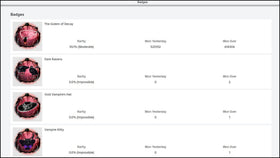
A badge name can indicate that an activity exists, but it does not automatically establish the exact steps required to receive an avatar item. Similarly, a video may show a successful route on a particular date without proving that the route is official, available to every account, or unchanged. Prioritize the current quest text and official Roblox announcements over claims that promise a guaranteed item through a secret code or an external claim page.
Keep the two event milestones separate
Roblox announced a live finale for the morning of October 31, 2026, and says players can continue collecting rewards until November 2 at noon Pacific Standard Time. The finale date and the final reward-collection deadline are different milestones. If you cannot attend the live finale, check the hub for any remaining objectives and verify your eligible rewards before the collection window closes.
For U.S. players, the announced November 2 cutoff converts to 3 p.m. Eastern Standard Time. The U.S. daylight-saving change occurs on November 1, so use the standard-time labels for the November 2 deadline.
Frequently asked questions
Do all The Hollow quests happen in the central hub?
Roblox describes quests in the hub and participating experiences. Follow the specific destination and action shown by the current quest rather than assuming all tasks happen in one place.
Does playing one of the nine horror games automatically earn a Hollow reward?
Not necessarily. The official announcement does not say that simply launching a featured game grants an event reward. Check the actual quest requirements and completion status.
Where can I check official event information?
Use the official The Hollow experience and Roblox Newsroom announcement. For account-specific problems, contact Roblox Support.
Bottom line
Use The Hollow hub as your starting point, follow the objective’s named destination, and verify that progress registered before moving on. That simple routine helps avoid wasted runs—and keeps unconfirmed community reward routes separate from what Roblox has actually announced.
Sources: Roblox Newsroom: The Hollow Halloween event · Roblox Developer Forum announcement · Official event experience