U.S. player troubleshooting guide · Updated October 27, 2026 · By Shivam Das
Quick answer: If Roblox The Hollow gets stuck on “Teleport Failed,” stays on a loading screen, or sends you back to the experience page, first check whether Roblox is having a wider service issue. Then restart Roblox, test another experience, switch networks if possible, and retry The Hollow from its official page. These are general Roblox connection checks—not proof of a confirmed event-wide outage.
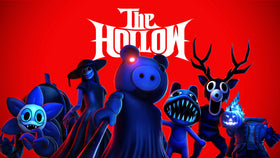
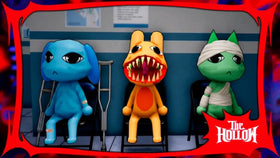
Roblox’s official Halloween event, The Hollow, features nine horror-game monsters and quest rewards. Roblox says players can continue collecting event rewards until noon Pacific Standard Time on November 2, 2026. If a connection error interrupts your run, avoid risky third-party “fix” tools and work through the checks below before assuming your progress or rewards are lost.
1. Check whether Roblox itself is having problems
Before changing your device settings, visit the official Roblox Status page. If it reports an issue affecting experiences, joining, or servers, local troubleshooting may not solve it. Wait for the status to recover and try again rather than repeatedly reconnecting.
If the status page shows normal service, that does not guarantee every individual experience or server is error-free. Continue with the steps below.
2. Retry The Hollow from its official experience page
- Close the Roblox app or browser tab completely.
- Open the official The Hollow experience page.
- Launch the experience again and wait for the join process to finish.
- If the same error returns, test whether another Roblox experience opens normally.
If other experiences work but The Hollow does not, the issue may be specific to the experience or a particular server. That is a useful clue, not confirmation of a platform-wide event bug.
3. Check your connection without using risky tools
- Restart your Wi-Fi router only if you can safely do so, or briefly test a trusted alternative connection.
- Pause large downloads or streams that may be using bandwidth.
- If you are on school, work, hotel, or public Wi-Fi, network restrictions may interfere with game connections. Do not attempt to bypass an organization’s security rules.
- On mobile, compare Wi-Fi with your normal cellular connection if your data plan allows it.
A VPN, unofficial launcher, modified client, or “ping booster” is not a guaranteed fix. Avoid downloading tools that ask for your Roblox password, browser cookies, session tokens, or verification codes.
4. Update Roblox and restart your device
Make sure the official Roblox app is up to date through the store or installation method you normally use. Close background apps, restart the device, and try once more. On a computer, check that security software or a firewall has not been changed unexpectedly; do not disable protections wholesale just to enter an event.
If you play in a browser, try the official Roblox app if it is available for your device. If the app is already in use, restarting it can clear a temporary stuck join attempt.
5. Don’t assume a failed teleport means your reward is gone
A failed join does not, by itself, prove that event progress or an earned item has been deleted. Re-enter the experience, check the in-game quest or reward board, and look for the item in the relevant Roblox inventory category if the game said it was awarded. If an item still appears missing, record the exact error text and the time it happened before contacting official support.
Do not pay anyone who claims they can restore event progress, and never give another player your account credentials. Use official Roblox Support for account-specific problems.
6. Keep the actual Hollow deadline in view
Roblox’s official announcement says The Hollow’s live finale is planned for the morning of October 31, 2026, and reward collection remains available until noon PST on November 2. The finale and the reward cutoff are different milestones. If you still have quests to complete, leave a buffer for connection problems and verify claimed items before the deadline.
Because the U.S. daylight-saving change occurs on November 1, the November 2 cutoff is noon Pacific Standard Time (PST), or 3 p.m. Eastern Standard Time (EST).
When should you report the problem?
Contact Roblox Support if the error continues after the status page looks normal and basic connection checks fail. Include your device type, operating system, the exact error wording, approximate time, and whether other experiences load. Never include your password or session cookie in a support message.
Frequently asked questions
Is The Hollow currently down for everyone?
This guide does not establish a live outage. Check the official Roblox Status page and compare whether other experiences load on your device.
Will retrying The Hollow delete my rewards?
A failed teleport alone is not proof that rewards were deleted. Rejoin and check the in-game reward board and your inventory before assuming an item is lost.
Should I install a third-party Roblox launcher to fix the error?
No. Use the official Roblox app or website and avoid tools that request credentials, cookies, or verification codes.
When does The Hollow reward collection end?
Roblox says players can continue collecting rewards until noon PST on November 2, 2026.
Sources
- Roblox Newsroom: The Hollow Halloween survival event
- Official Roblox Status
- Official The Hollow experience
- Roblox Support
Editorial note: No event-wide teleport outage is asserted here. The troubleshooting steps are general, low-risk connection checks; event timing and the reward deadline are taken from Roblox’s official announcement.
By Shivam Das · Roblox coverage for U.S. readers