Quick answer: Start at The Hollow hub, check whether the Scary Shawarma Kiosk partner quest is available, then follow the live objective. A current third-party guide reports a Full Shift objective requiring seven Hollow Entities and a reward of 10 Tickets plus the Mushroom Infestation UGC item. Roblox has not published a guaranteed fastest route or a universal stream start time, so verify the task and reward in-game.
Updated October 28, 2026 · By Shivam Das
What is confirmed for Night 7?
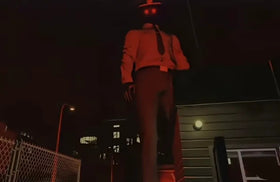
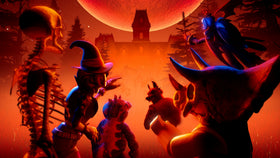
Roblox’s official Halloween announcement includes The Inspector from Scary Shawarma Kiosk among The Hollow crossover monsters. The Hollow is a nine-day survival event with a new maze and monster each day. Roblox says event rewards can be collected until noon Pacific Time on November 2, 2026. It has not published a universal minute-by-minute schedule for every creator stream.
Important: the Floor 7 maze inside The Hollow and the separate quest inside the original Scary Shawarma Kiosk experience are different tasks. Clearing one does not prove that the other reward has been claimed.
The practical ticket route
- Open The Hollow hub. Check the elevator and partner portals. If the Scary Shawarma Kiosk quest is not visible, do not assume a fan-site timetable means it has unlocked for your account.
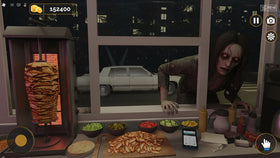
- Enter Scary Shawarma Kiosk. Confirm the exact objective in the live quest panel before starting a shift. The community guide describes the task as serving seven Hollow Entities during a Full Shift.
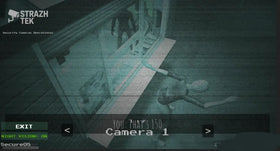
- Read the kiosk rules and monitor. The base game revolves around spotting anomalies. Compare the customer, CCTV/room view, and posted rules before deciding what to serve instead of rushing orders.
- Finish the entire shift. The guide says the Full Shift must be completed, not merely started. Check for the badge or quest confirmation after the round.
- Return to the hub and claim. The community guide reports Mushroom Infestation UGC plus 10 Tickets. Check the actual claim prompt and ticket balance; Roblox’s official event announcement does not list every partner quest payout.
Before the creator stream: avoid wasted runs
- Join The Hollow hub early enough to confirm the portal and quest are available.
- Leave time to complete a whole shift; this is not reported as a one-click claim.
- Check the creator’s own channel or Roblox event listing for the stream time. Treat fan-site countdowns as unverified unless confirmed by the creator.
- After the round, check both the reward confirmation and ticket balance before repeating the quest.
- If the live task text differs from the guide, follow the in-game instructions.
Night 7 maze versus the kiosk partner quest
The Hollow maze asks players to navigate the event floor, avoid the monster, solve the floor challenge, and return to the elevator with the relic. The Scary Shawarma Kiosk partner quest happens in the separate kiosk experience. Keep the Floor 7 maze reward, kiosk quest badge/UGC, and ticket-shop purchases separate in your checklist.
Official links and sources
- Open The Hollow on Roblox
- Open Scary Shawarma Kiosk on Roblox
- Roblox Developer Forum event announcement
- Roblox Newsroom: Halloween survival event
- Community guide reporting the quest objective and reward
FAQ
How many Hollow Entities must I serve?
A third-party guide reports seven during a Full Shift. Confirm the current objective in your live quest panel.
How many tickets does the kiosk quest give?
The community guide reports 10 Tickets and the Mushroom Infestation UGC item. Verify the reward prompt in-game because Roblox’s official event post does not list this individual payout.
Is the stream start time confirmed?
There is no universal stream time established in the linked sources. Check the specific creator’s official channel or Roblox event listing.
What if the portal is missing?
Reopen the hub, check the current elevator/portal list, and confirm you are in the intended experience. Do not follow an old guide if the live game shows different instructions.
Editorial note: Roblox-confirmed event details are separated from community-reported quest instructions. Check live availability and rewards in-game.