
By Shivam Das | October 28, 2026
If you switch Minecraft from Vibrant Visuals to Fancy, or turn Vibrant Visuals back on, your world does not become a different save. The change is primarily about how the game draws the world on your screen: lighting, shadows, water reflections, fog, and the way materials look. Mojang describes Vibrant Visuals as a cosmetic graphics upgrade that does not change gameplay. On supported Bedrock devices, the graphics mode can be changed through Video settings, although some platforms and Marketplace content have restrictions.
That distinction matters if you have a long-running survival world, a carefully built base, or a Switch 2 save you do not want to risk. Changing the graphics mode is not the same as converting a world, activating experimental gameplay, or installing a new behavior pack. Still, the experience can look and feel noticeably different, and performance may change depending on the device and graphics preset.
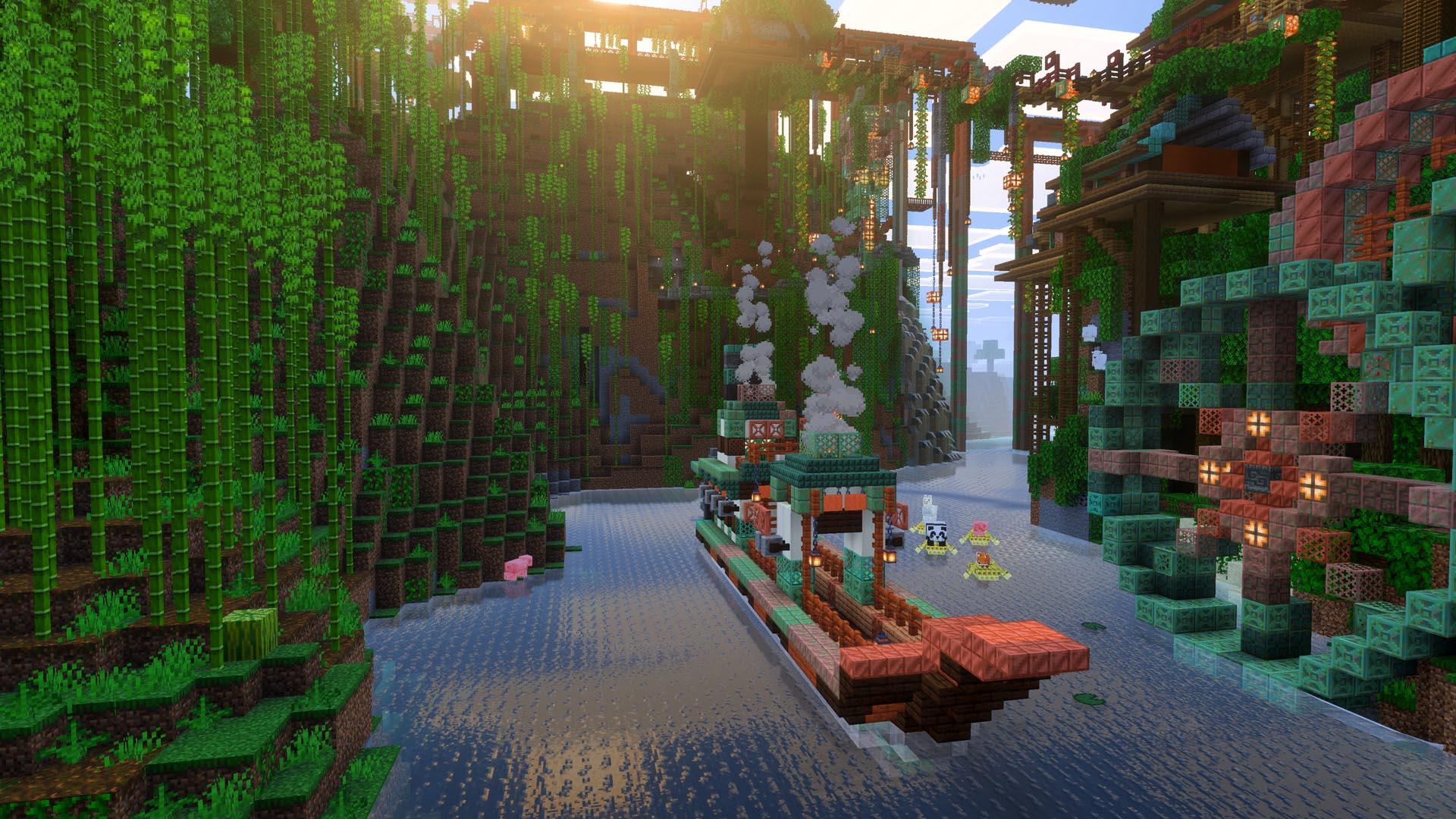
Quick answer: does changing graphics mode damage or reset a world?
No—not by itself. Mojang says Vibrant Visuals is a cosmetic enhancement and that compatible existing Bedrock worlds can use the graphics mode. Switching between Fancy and Vibrant Visuals changes the presentation, not your inventory, buildings, mined blocks, redstone circuits, or world seed. A graphics toggle is not intended to wipe or regenerate a save.
There are two important qualifications. First, graphics features are not available in every situation: split-screen automatically switches away from Vibrant Visuals, and some Marketplace worlds or content are not compatible with it. Second, any game can encounter bugs or crashes, so keeping a backup of a valuable world is sensible general practice. Do not mistake that practical precaution for evidence that the graphics toggle itself normally corrupts worlds.
Official reference: Mojang’s Vibrant Visuals overview and FAQ.
What actually changes when you turn Vibrant Visuals on?
Vibrant Visuals is designed to make Minecraft’s block-based environments feel more atmospheric while preserving their recognizable style. Depending on the device, settings, and scene, the differences can include:
- Directional lighting: sunlight and other light sources create more noticeable shading, helping buildings and cliffs feel less flat.
- Dynamic shadows: trees, structures, and terrain can cast shadows that change with the lighting.
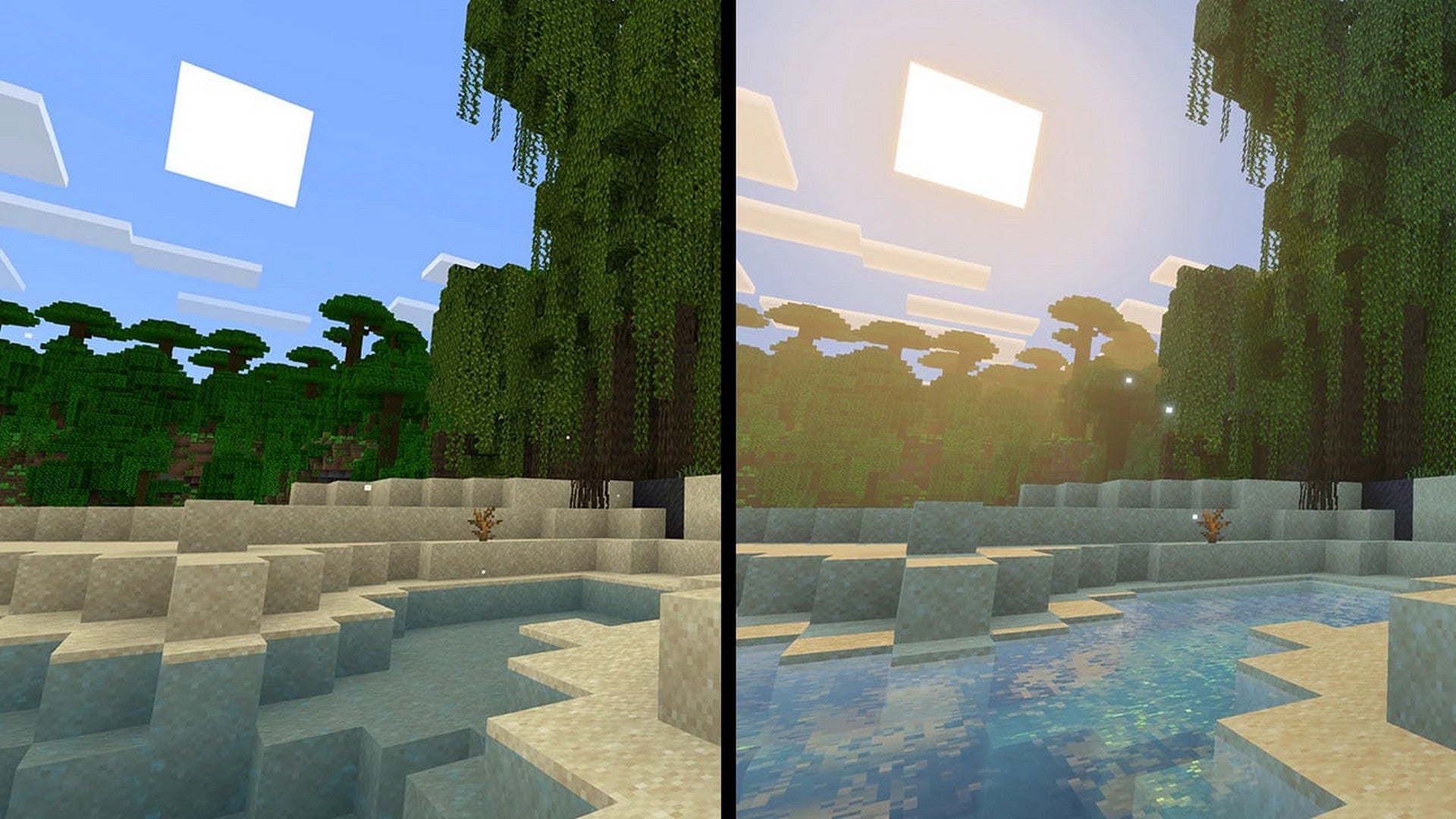
- Water reflections and caustics: rivers, lakes, and oceans can reflect the sky and nearby scenery, while light patterns appear underwater.
- Volumetric fog and atmosphere: distant scenery and some environments gain more depth, with light scattering through the air or water.
- Updated material appearance: supported textures can react to light differently, so certain blocks and surfaces look more reflective or textured.
Those are rendering effects. A shadow moving across your roof does not mean the roof block changed; a lake reflecting the sunset does not change the water source blocks; and a cave looking brighter because of visual lighting does not necessarily mean the game’s actual light level has changed. For survival play, keep using Minecraft’s normal rules for mob spawning, redstone, farming, and navigation rather than treating visual brightness as a gameplay indicator.

What stays the same in your existing world?
For a normal graphics-mode change, your save remains the same world. The following are not supposed to be reset just because you choose Fancy instead of Vibrant Visuals:
- Your player inventory, armor, and experience.
- Built structures, farms, storage rooms, and placed blocks.
- Redstone mechanisms, villager trading halls, and mob farms.
- Your explored terrain, world seed, and the locations you have already discovered.
- Your world’s ordinary survival or creative rules, difficulty, and multiplayer setup.
These details matter because the graphics menu is not a world-generation setting. It changes the way supported visual effects are rendered. You should not need to start a new world just to try the other graphics mode. If you are using a special Marketplace world or a texture pack that conflicts with Vibrant Visuals, however, the game may disable the mode or fall back to a supported rendering option.
For Switch 2 players, Nintendo also confirms that worlds from the original Nintendo Switch version can be carried over to the native Switch 2 version. That is a separate world-transfer process; toggling the graphics mode after the world is available is not the same operation as transferring it between consoles.
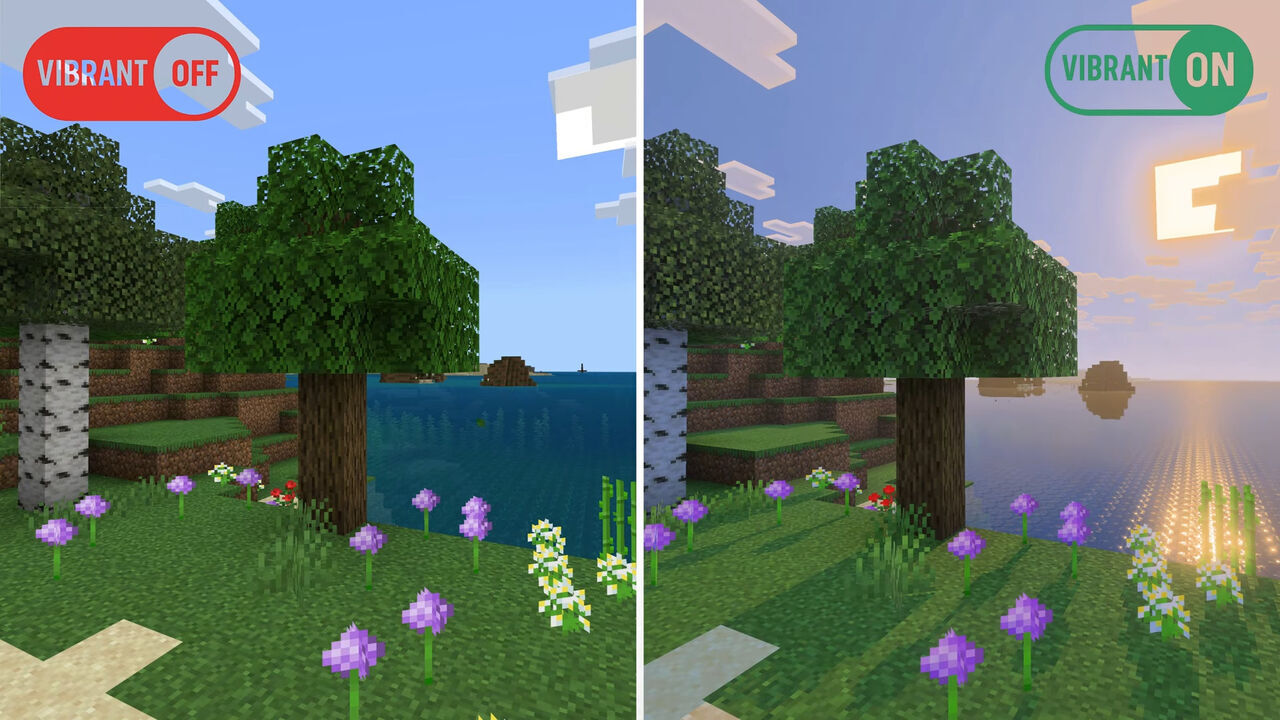
Fancy versus Vibrant Visuals: which should you use?
| Situation | Better starting point | Why |
|---|---|---|
| Building, screenshots, scenic exploration | Vibrant Visuals | Richer lighting, reflections, shadows, and atmosphere can make environments more striking. |
| Long survival sessions where smooth play matters most | Favor Performance, or Fancy if needed | Reducing demanding visual effects may help if you notice slowdowns. |
| Split-screen multiplayer on Switch 2 | Fancy or Simple rendering | Mojang says split-screen is not supported with Vibrant Visuals, so the game switches to another rendering mode when local players join. |
| A Marketplace world that disables Vibrant Visuals | Use the mode the world supports | Some Marketplace worlds and content are incompatible with the enhanced mode. |
| Testing whether a slowdown is graphics-related | Compare modes in the same location | A controlled comparison helps separate rendering load from a busy farm, chunk generation, or network issues. |
There is no universal “best” setting for every player. If you spend most of your time designing builds and taking screenshots, the added atmosphere may be worth it. If you are running a dense redstone base, exploring quickly, or prioritizing consistency, start with Favor Performance or switch to Fancy if the game feels less responsive. The right choice depends on the platform and your own tolerance for visual effects versus smoothness.
How to switch safely on Bedrock Edition
Mojang’s support instructions say that if Vibrant Visuals is unavailable or grayed out, you may need to exit the active world and open settings from the game’s launch screen. The exact menu wording can vary by platform, but the supported route is through the Video settings.
- Save and exit your world. This is the cleanest approach if the option is unavailable while playing.
- Open Settings, then Video. Look for the Graphics Mode dropdown.
- Select Vibrant Visuals or Fancy. Choose the mode your device and current content support.
- Pick a preset if Vibrant Visuals is enabled. Favor Visuals prioritizes the richer presentation; Favor Performance is the sensible first test if you notice slowdowns. Custom lets you tune individual effects.
- Reopen the same world and compare. Check a familiar location in the same lighting conditions, then try a water edge, tree canopy, cave entrance, or your base.
If Vibrant Visuals is grayed out, Mojang lists several possible reasons: the world is currently active, the system is incompatible, or an add-on or texture pack conflicts with the mode. Do not assume your world is damaged just because the menu option is unavailable.
Official troubleshooting: Manage Vibrant Visuals Graphics Mode Settings.
Does Vibrant Visuals change performance or frame rate?
It can. Mojang offers Favor Visuals, Favor Performance, and Custom options because players and devices have different needs. Its support guidance specifically recommends Favor Performance if the game slows down or video problems appear. That does not mean every Switch 2 player will experience a slowdown, nor does it establish a universal frame-rate number for every graphics mode.
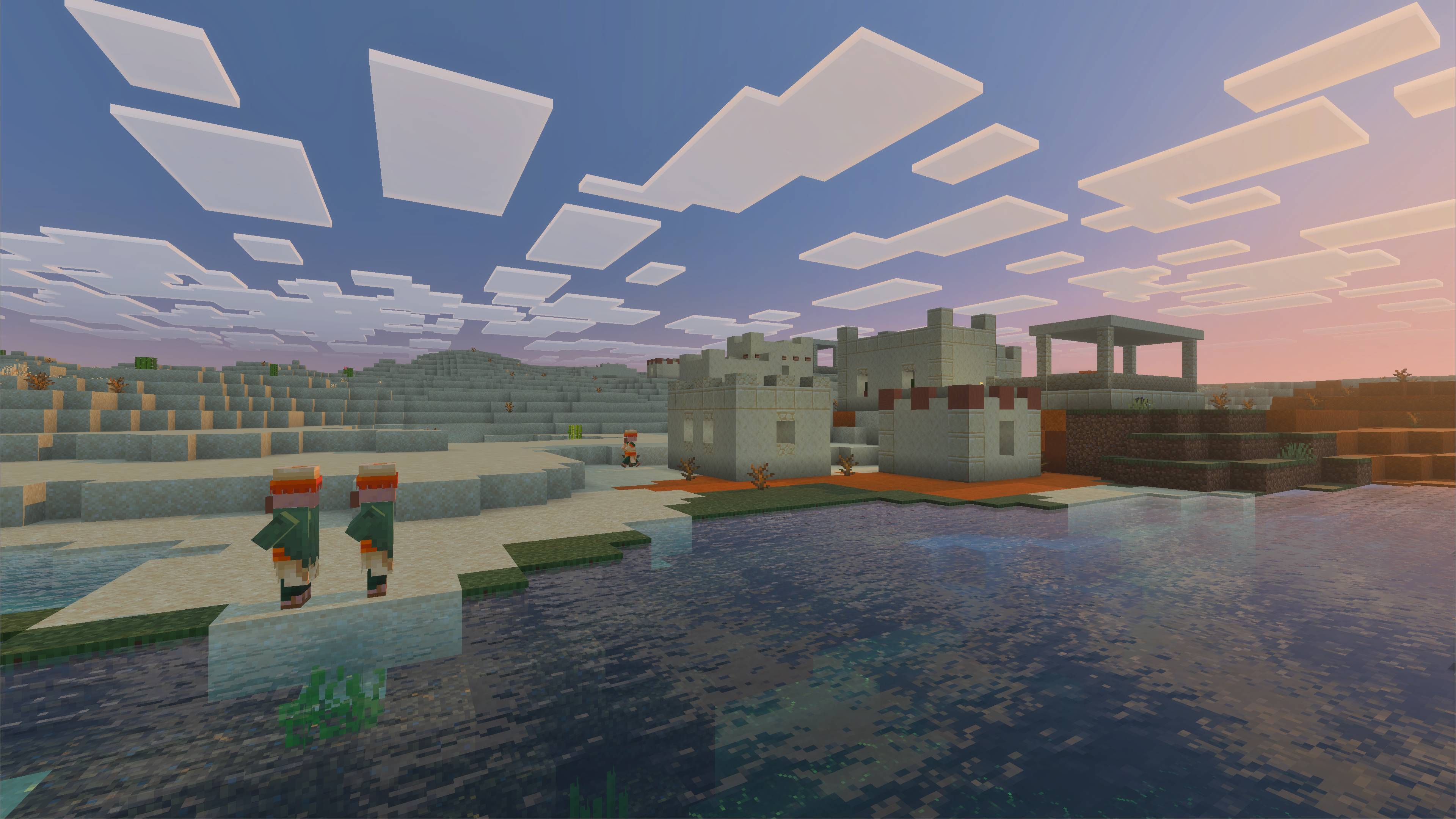
For a useful test, keep your world, location, camera direction, and other settings consistent. Stand in the same place, rotate the camera through the same view, and compare how responsive the game feels. Then test the area where you actually notice trouble. A quiet beach and a crowded redstone base are not equivalent workloads.
Also distinguish graphics-related stutter from other causes. A long delay while entering a world, a pause as unexplored chunks generate, a network issue in multiplayer, and a frame-rate dip when looking at many reflective surfaces may feel similar—but they are not necessarily the same problem. Changing graphics mode is a reasonable diagnostic step, not proof that the graphics setting caused every slowdown.
Special cases: split-screen and Marketplace content
On Nintendo Switch 2, Vibrant Visuals is a headline feature of the native Minecraft release, but it is not available in every gameplay situation. Mojang and Nintendo both note that split-screen and some Marketplace worlds or content are exceptions. Mojang says the game switches to Fancy or Simple rendering when multiple players join locally.
That fallback is a graphics compatibility behavior, not a sign that your save has been converted or your world data has changed. If you start a solo session and later add a local player, do not be surprised if the presentation changes. Similarly, if a particular Marketplace world disables Vibrant Visuals, test with a standard world before concluding the feature is broken.
See the current platform notes from Nintendo’s Switch 2 announcement and Mojang’s Switch 2 overview.
Should you back up your world before changing the mode?
For an ordinary switch between graphics presets, a backup is not normally required as a special technical step. The mode is designed to change visuals, not rewrite your save. However, if the world is especially valuable—a year-old hardcore-style survival build, a shared family world, or a large creative project—keeping a recent backup is a good habit regardless of which setting you change.
Backups are especially important before experimenting with previews, beta software, incompatible add-ons, or other changes that go beyond the regular graphics dropdown. Mojang has warned that testing versions can corrupt worlds and recommends backing them up or testing in a separate save. That warning is about experimental testing builds, not evidence that simply switching Fancy and Vibrant Visuals normally corrupts an established world.
Frequently asked questions
Will switching from Vibrant Visuals to Fancy delete my Minecraft world?
No. The graphics-mode switch is intended to change rendering, not delete your save. Your builds, inventory, and explored terrain should remain in place. Keep backups of important worlds as a general precaution.
Can I switch graphics modes on an existing survival world?
Yes, on a compatible Bedrock device. Mojang says existing worlds can use Vibrant Visuals, and graphics mode can be changed through the Video settings. Some incompatible Marketplace content or add-ons can prevent the enhanced mode from being selected.
Do Vibrant Visuals shadows change mob spawning or light levels?
No. Visual shading is not the same thing as Minecraft’s underlying gameplay light calculations. Use the game’s normal rules and tools to assess mob spawning and lighting safety rather than judging from how bright a scene looks.
Why does Vibrant Visuals turn off in split-screen?
Split-screen is not supported with Vibrant Visuals. Mojang says the game switches to Fancy or Simple rendering when multiple players join locally.
Will Fancy improve performance?
It may help on a setup that struggles with enhanced rendering, but results depend on the platform and scene. Mojang also provides a Favor Performance preset within Vibrant Visuals, so you can try that before disabling the mode completely.
What should I do if Vibrant Visuals is grayed out?
Save and exit the active world, open Video settings from the launch screen, check that your game is updated, and consider whether a resource pack or add-on is incompatible. Consult Mojang’s official graphics-mode support page for more detail.
Bottom line
Switching between Fancy and Vibrant Visuals should change how Minecraft looks—not the world you have spent hours building. Vibrant Visuals adds more atmospheric lighting, shadows, reflections, and fog; Fancy keeps the classic presentation and may be preferable if you want to reduce visual demands. If a setting is unavailable, check for split-screen or Marketplace restrictions before troubleshooting the save itself. For a treasured world, keep a backup, but do not confuse a routine graphics toggle with an experimental gameplay change.
Sources and further reading
- Minecraft.net: Vibrant Visuals overview and FAQ
- Minecraft Help: Manage Vibrant Visuals Graphics Mode Settings
- Nintendo: Experience Vibrant Visuals on Minecraft for Switch 2
- Minecraft.net: Minecraft is coming to Nintendo Switch 2
- Minecraft.net: Vibrant Visuals preview and testing notes
Editorial note: This guide distinguishes official graphics-mode behavior from practical troubleshooting advice. Visual examples are credited in their captions and are illustrative, not claims of a controlled performance test.