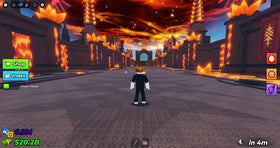
Quick answer: On October 18, 2026, the safest way to find Roblox Halloween rewards you can still earn for free is to check each game's live event menu and official Roblox listing. The Steal An Egg Halloween Dimension is listed for October 17–24, while Roblox's The Hollow event is scheduled to begin October 22; do not count The Hollow rewards as claimable before the event opens. Free rewards can require quests or event currency, and not every Halloween item is free.
Updated October 18, 2026 · U.S. players · By Shivam Das
Halloween events can turn into a race against the clock: one game offers a limited cosmetic, another asks for event currency, and social posts may promise rewards that have already expired. The best approach is not to chase every viral code. It is to verify what is live, what costs Robux, and what you can realistically finish before the deadline.

What is worth checking first on October 18?
Steal An Egg: check the Halloween Dimension and event shop
The current Roblox listing for Steal An Egg describes its core loop as collecting and hatching eggs, earning money, and discovering rare pets and mutations. Current third-party event coverage reports that the Halloween Dimension runs from October 17 through October 24, 2026, with Candy Corn, bosses, and secret eggs mentioned in the event details. Treat individual reward names, drop rates, and shop prices as unconfirmed unless you can see them in the live game or the developer publishes them.
Best next step: enter through the official experience page, inspect the Halloween event area, and write down the exact currency cost and claim requirements before grinding. Do not spend Robux based only on a screenshot or a reposted odds table.

The Hollow: prepare now, but do not assume rewards are live
Roblox Halloween coverage published this weekend points to October 22, 2026, for The Hollow. The start date has been reported, but the full participating-game lineup and reward catalogue have not been fully published in the sources reviewed. Until Roblox releases the official details and the event opens, treat specific game lists, item names, and reward instructions as speculation.
Players can prepare by checking Roblox's official announcements and keeping their accounts secure. Once the event begins, verify each quest in the participating experience itself and confirm that any item has appeared in your inventory before moving on.

How to identify genuinely free Halloween rewards
- Open the official game page. Start from Roblox or a developer account linked from the experience page, rather than an unfamiliar reward website.
- Read the requirement in-game. Check whether the item requires a quest, a badge, playtime, event currency, a paid pass, or Robux.
- Check the deadline. Use the current event panel or developer announcement. Old articles and videos may show a previous season.
- Claim the item if required. Some games use a separate claim button or reward menu after the task is completed.
- Verify delivery. Check your inventory, badge list, or in-game collection before assuming the reward was granted.
- Keep a record of bugs. If a completed quest fails to reward you, save a screenshot and use the developer's official support channel.

Which other Roblox Halloween games should you check?
Dress To Impress, Fisch, Evade, RIVALS, 99 Nights in the Forest, Grow a Garden, and other experiences may run their own seasonal activities. Their rewards and deadlines are separate. A free item in one game does not automatically unlock an item elsewhere, and a code that worked last year may have expired.
For each game, use a quick four-column checklist: reward name, exact requirement, Robux cost, and deadline. If the developer has not confirmed a detail, mark it as unknown instead of treating a leak as fact. That small habit helps prevent wasted playtime and accidental purchases.
Social media posts and video guides: what to trust
Short clips on X, Instagram, TikTok, and YouTube can help locate a quest or show a reward animation, but always check the original uploader and publication date. Reposted clips can be edited, taken from private test servers, or recorded during an older event. A video is useful evidence of what happened in that clip, not automatic proof that the same reward is available to everyone today.
Never share your password, one-time code, browser cookies, or account recovery details to claim a cosmetic. Avoid “free Robux generators,” external downloads, and websites that ask you to sign in outside Roblox. Use the official Steal An Egg experience page and Roblox's previous Halloween Spotlight announcement for primary-source context; the older announcement is historical, not confirmation of current rewards.

Fast checklist before you leave a server
- Did the event menu show the item and its requirements?
- Was the reward free to earn, or did it require Robux or a pass?
- Did you press Claim if the game required it?
- Can you see the item in your inventory, badge list, or collection?
- Is the deadline confirmed by the live game or its developer?
Frequently asked questions
Which Roblox Halloween event can I check today, October 18, 2026?
Steal An Egg's official experience page is a useful starting point for its Halloween Dimension. Third-party coverage reports an October 17–24 event window, but confirm the live event panel and current requirements in the game before relying on specific rewards or prices.
Are The Hollow rewards available today?
The Hollow is scheduled to begin October 22, 2026, based on current reporting. Until it launches and Roblox publishes the reward details, do not assume its rewards or full game lineup are claimable or confirmed.
Are all Roblox Halloween event items free?
No. Some items may be earned through quests or event currency, while others may require Robux or a paid pass. Read the price and requirements in the live game before spending.
Can I trust a free-item code from a social media post?
Only treat it as reliable when the developer or official experience confirms it. Redeem codes inside the official game interface and never provide login details to a third-party site.
What if I finish a quest but do not receive the reward?
Reopen the event menu, check whether a separate claim step remains, and verify your inventory or badge list. If it still does not appear, capture evidence and contact the developer through an official support channel.
Can an old YouTube video prove that a reward is still available?
No. It can show what was available when it was recorded, but seasonal items, prices, codes, and event schedules can change. Check the live experience and the newest developer announcement.
Bottom line: Prioritize event windows that are confirmed to be live, verify each reward in-game, and separate announced dates from unconfirmed leaks. A short check of the official event panel is more reliable than any promise of an instant free item.
Editorial note: Event details can change during the Halloween season. This guide distinguishes current listings and reported dates from reward mechanics that still require in-game confirmation.