Quick answer: Some Roblox players reported seeing a one-time Marketplace offer that appeared to cover up to about 175 Robux toward an avatar item on October 29, 2026. We could not find an official Roblox announcement or help page confirming it is available to every account. If it appears inside the official Roblox app or Marketplace on your account, read the terms and check the final checkout total before confirming. Never use third-party claim links or share passwords, verification codes, or browser cookies.
For U.S. players · October 29, 2026 · By Shivam Das
A player seeing a promotion inside their account does not prove that every Roblox user is eligible. A Reddit user described a one-time credit-like prompt in the Marketplace, but that is an individual report, not a platform-wide confirmation. This guide separates what players have reported from what Roblox has officially documented, then gives you a safe way to check your own account.
Is the free 175 Robux item credit officially confirmed?
As of October 29, 2026, we found a recent community report describing a one-time offer that appeared while browsing the Roblox Marketplace. The report says the prompt appeared to let the player select an item within a stated value range, or apply a credit toward a more expensive item. Other commenters speculated that it was a single-use coupon. We could not independently verify the offer on a Roblox-owned announcement or support page.
A promotion may be limited to selected accounts, appear as an experiment, or be misunderstood by a user. It would be misleading to promise that every U.S. player has 175 Robux waiting, or that the offer has a specific expiration time, without official terms.
View the player report about a Marketplace offer on Reddit
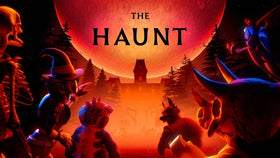
Roblox’s official event announcement for The Hollow confirms limited-time Halloween avatar items and event rewards, but it does not confirm a universal 175 Robux Marketplace credit. Treat the reported credit as account-specific unless Roblox publishes clear terms.
How to check whether the offer is on your account
- Open Roblox directly. Launch the official Roblox app or type the official Roblox website address yourself. Do not start from an unsolicited message or unfamiliar reward site.
- Open Marketplace. Browse avatar items while signed into your usual account. If an offer exists for you, inspect the on-screen wording rather than relying on someone else’s screenshot.
- Read the eligibility and value limits. Check whether it is one-time, which items qualify, whether it covers the full price or only part of it, and whether an end date is stated.
- Check the final checkout total. Before confirming, make sure the displayed amount due matches the offer. Cancel if the credit is absent or the terms are unclear.
- Verify the transaction and inventory. After a legitimate purchase, check your transaction history and avatar inventory. If the item or balance does not match the checkout display, contact Roblox Support.
What if the offer does not appear?
If you cannot see the offer, do not assume your account is broken. The report may describe a limited test, a targeted promotion, or a prompt that is not available to everyone. Check the Marketplace again from the official app, make sure you are signed into the intended account, and review Roblox’s official announcements and support pages. Avoid repeatedly buying items just to test whether a credit exists.
Do not change your account region, install an extension, join a suspicious game, or follow a “free Robux generator” to force the offer to appear. Those steps are not a legitimate way to unlock a promotion and can put your account at risk.

Which avatar items should you choose if the offer is real?
If the offer is visible in your own account and the terms check out, choose an item you genuinely want rather than rushing because a social post says it is “ending soon.” Compare the listed price, creator, compatibility, sale status, and whether the item can be used with your avatar. The checkout screen is the final check because a credit-like offer may not apply to every item or purchase type.
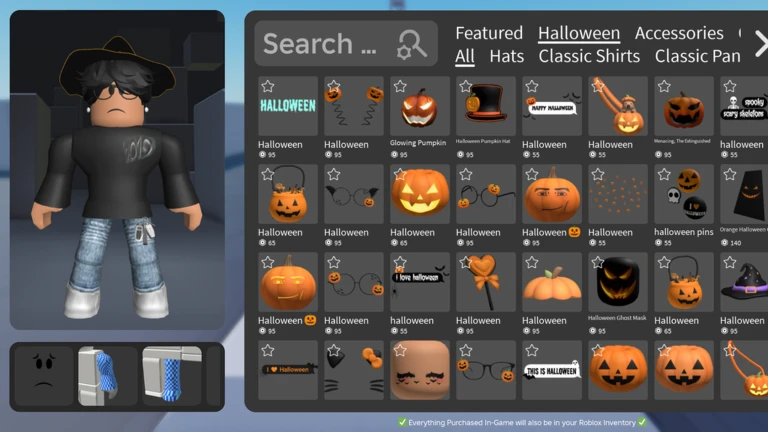
For a seasonal look, compare Halloween accessories with everyday items you will continue wearing after the event. Do not assume an item is limited, tradeable, or likely to rise in value merely because it is popular today.


How to avoid fake free Robux claims
- Never enter your password on a site that promises to unlock a Marketplace credit.
- Never share two-step verification codes, recovery codes, or browser session cookies.
- Do not download a “Robux claim” extension or executable file.
- Do not trust countdown timers or screenshots without a verifiable source and date.
- Use the official Roblox Marketplace and Roblox Support if an offer or transaction looks wrong.
Roblox’s Marketplace is where users browse and purchase avatar clothing, accessories, animations, and other items. Its official support page explains how to search by item and use Marketplace filters. For this particular credit report, the safest evidence is the exact offer displayed inside your own account and any terms Roblox provides with it.
What is confirmed—and what is not?
- Reported by a player: A one-time Marketplace prompt that appeared to provide value toward an avatar item.
- Not confirmed by an official source we found: That all users receive 175 Robux, that the offer is available to every U.S. account, or that it expires at a particular time.
- Safe next step: Check the official Roblox app and read the offer terms before making a purchase.
Frequently asked questions
Is Roblox giving everyone a free 175 Robux credit?
We could not verify a Roblox announcement confirming a universal 175 Robux credit. A recent community post describes an offer seen by one player, so availability should be treated as unconfirmed and potentially account-specific.
How do I claim the offer?
If it appears inside your official Roblox Marketplace, follow the on-screen terms and check the final checkout total. If it does not appear, there is no verified external claim link to use.
Does the offer work for every avatar item?
That has not been established by an official source. Check the offer’s stated eligibility and the final price shown at checkout before confirming a purchase.
What if the credit does not appear after I select an item?
Cancel before confirming payment, re-read the offer terms, and contact Roblox Support if the in-app display appears inconsistent. Do not make extra purchases to test an unverified offer.
Can a website or YouTube video unlock the credit for me?
No external website should need your password, verification code, or session cookie to apply a legitimate Roblox promotion. Treat “free Robux generator” pages and unsolicited claim links as unsafe.
Sources and further checks
- Community report describing the Marketplace offer (an individual report, not official confirmation).
- Roblox Support: The Marketplace.
- Roblox Newsroom: The Hollow Halloween survival event (confirms event rewards and limited-time Halloween Marketplace items, not a universal 175 Robux credit).
- The Hollow on Roblox.
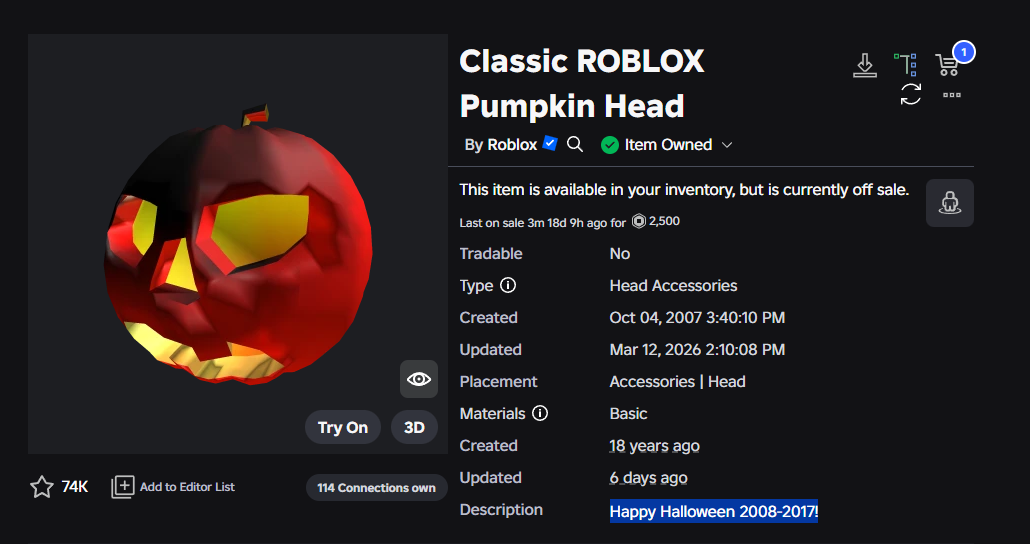
Editorial note: This article is a verification guide, not a guarantee that the offer exists on every account. The screenshots are illustrative Marketplace examples from their named sources; none is presented as proof of the reported 175 Robux offer.