Quick answer: Start with Roblox’s live Marketplace filters and verify the price on the item’s own page before you claim it. Two useful starting points are free Roblox accessories in the official Marketplace and Roblox’s official code-redemption page for eligible promo items. Starwisp is listed as free but may require identity verification; Spider Cola has historically been obtainable with the SPIDERCOLA code. Availability and eligibility can change, so treat the live Roblox listing—not an old guide—as the final check.
For U.S. players building an avatar that looks polished without spending Robux, the trick is to choose one recognizable shoulder piece and keep the rest of the outfit simple. A small companion with a strong silhouette often looks more intentional than several oversized accessories competing for attention.

1. Check these free shoulder-accessory routes first
Starwisp: a premium-looking companion with an eligibility check
Open Starwisp in the Roblox Marketplace and review the current price and eligibility notes. Third-party catalog records list it at zero Robux, but reports say claiming it can require identity verification. If the listing shows a lock or a requirement on your account, do not assume the item is broken; the restriction may be intentional.

Spider Cola: check the code route and the official item page
Open Spider Cola’s Roblox item page. Catalog references associate this shoulder item with the SPIDERCOLA promo code. If Roblox accepts the code, confirm that the item appears in your inventory; if the redemption page rejects it, do not trust sites promising a workaround or asking for your password.
Use only Roblox’s own code redemption page. Never enter your password, browser cookies, or verification code on a third-party “free Robux” site.
2. Premium-looking shoulder styles to preview before you spend
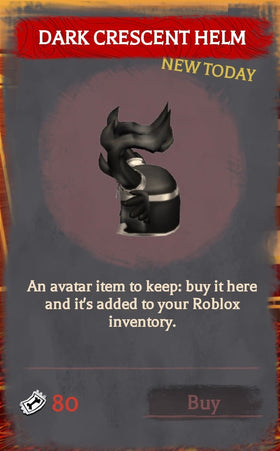
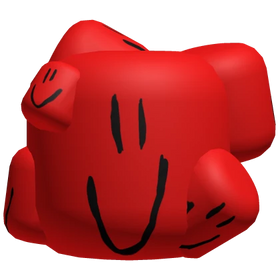
The following images are genuine Roblox accessory references, included to help compare silhouettes and color palettes. They are style examples, not a promise that each item is currently claimable for free. Some older Roblox items rotate off sale or remain visible in third-party databases after their original claim window ends.

3. How to claim a free Roblox shoulder accessory safely
- Open the official Roblox Marketplace free-accessory results.
- Open an item’s own Roblox page and check the displayed price, availability, and any account or event requirements.
- If it is available for zero Robux, select the official Get/Buy control and complete any Roblox-provided eligibility steps.
- Open your Avatar editor or inventory to confirm the item was added before leaving the page.
- For code-based items, redeem only through Roblox’s official redemption page. Do not install extensions or share account credentials.
4. Make a free accessory look more expensive
- Use one focal point: pair a detailed shoulder pet with a clean shirt and restrained colors.
- Repeat one color: echo a companion’s gold, purple, green, or orange in a small clothing detail instead of matching every item.
- Check scale and clipping: preview the avatar from the front and side, especially with long hair, large sleeves, or layered clothing.
- Try before you buy: use the avatar preview or a trusted catalog experience to see how an accessory sits on your chosen body type.
- Recheck limited items: “free” may refer to a past event or a third-party database record. A current Roblox listing is the deciding source.
5. Social post and community context
This X post shows Starwisp as a catalog item, but a social post cannot guarantee that every account is eligible to claim it today. Always check your own Roblox Marketplace screen.
View the Starwisp catalog post on X
Frequently asked questions
Which Roblox shoulder accessories are free right now?
Start with the official Marketplace’s free-accessory filter and check each item page. Starwisp is listed as free in current catalog trackers, although identity verification may apply. Spider Cola is associated with the SPIDERCOLA redemption code; confirm whether Roblox still accepts it.
Why does a free shoulder accessory show a lock?
Some items have account, identity-verification, event, or other eligibility requirements. Read the official item page and follow only Roblox’s own instructions.
Are old “free Roblox items” lists reliable?
Not always. Some pages retain items that were free only during a past event. Confirm the price and Get/Buy option on Roblox before following a guide.
Can I claim a shoulder accessory without Robux?
Yes, when the official listing is priced at zero or Roblox provides an eligible free redemption route. Some free items still have separate requirements, and not every shoulder accessory shown in this article is currently claimable.
Is it safe to use a third-party free-item generator?
No. Avoid generators, password requests, cookie-sharing instructions, and unofficial extensions. Use the official Roblox Marketplace and redemption page.
Sources and verification notes
- Roblox Marketplace: free accessories — primary place to check current price and availability.
- Roblox Marketplace: Starwisp — official item listing.
- Roblox Marketplace: Spider Cola — official item listing.
- RBLXDB free shoulder-accessory tracker — secondary discovery list; availability should be rechecked on Roblox.
- Rolimon’s: Fiery Fox Shoulder Pal — secondary catalog record for a style reference.
- Rolimon’s: Gingerbread Pal — secondary record showing why older seasonal items need a fresh availability check.
Editorial note: Prices, code validity, and account eligibility can change without notice. This guide separates current claim routes from older visual examples; verify all details in Roblox before claiming.