U.S. Roblox players · October 29, 2026 · By Shivam Das
Quick answer: There is no verified official measurement showing that The Inspector or The Overseer moves faster on mobile than on other devices in The Hollow. If a chase feels unfair, first identify whether you have frame-rate stutter, network delay, or a gameplay mechanic. Roblox’s own troubleshooting advice is to lower graphics quality when visuals stutter, close demanding background apps if the device is struggling, and investigate connection problems when actions or other players appear delayed.
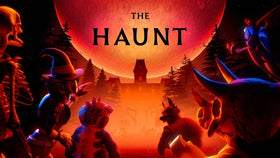
When a horror chase starts, even a brief hitch can feel like the monster suddenly sped up. That does not automatically mean the game changed its chase speed for phones. The Inspector is associated with Scary Shawarma Kiosk, while The Overseer comes from WARDEN; both are included in Roblox’s limited-time The Hollow event. Roblox’s event announcement confirms the lineup, but it does not publish chase-speed values, mobile-specific monster tuning, or a guarantee that the two monsters behave identically.
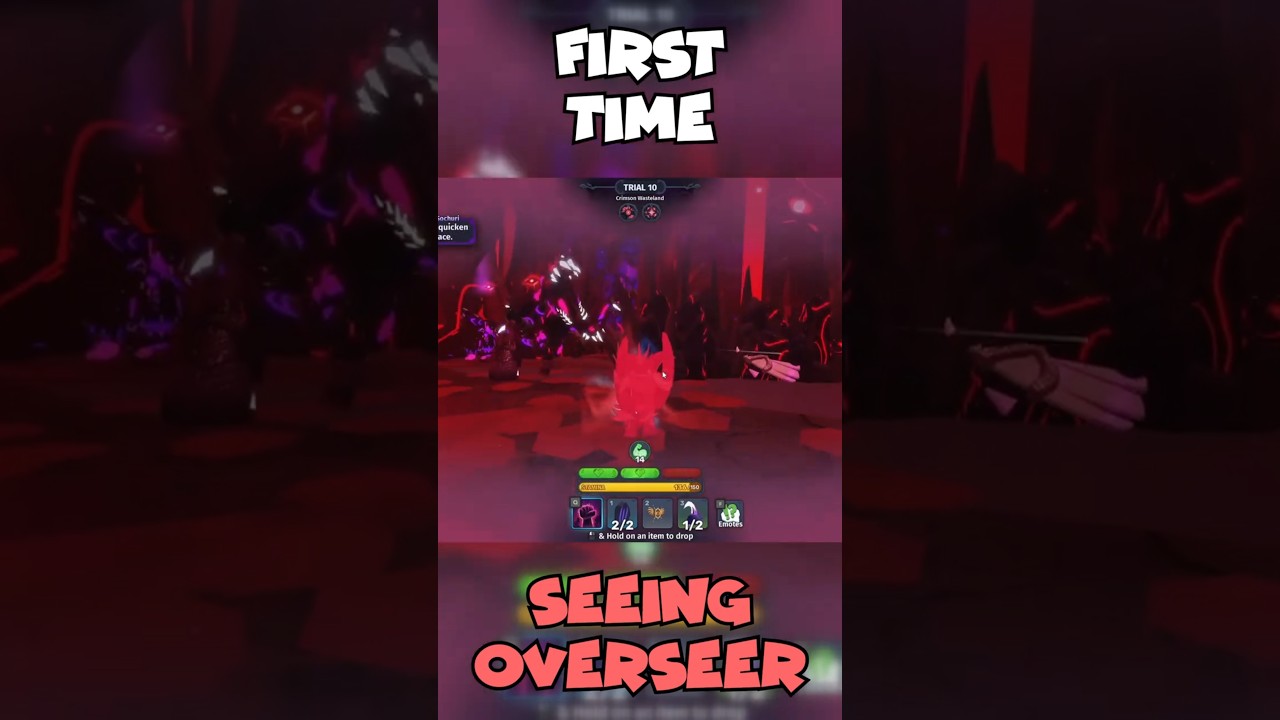
Does The Inspector chase faster than The Overseer on mobile?
There is not enough verified evidence to say yes. Roblox confirms that The Inspector from Scary Shawarma Kiosk and The Overseer from WARDEN are among The Hollow’s nine featured monsters. The official announcement does not provide a side-by-side speed test, chase distance, animation timing, or platform-specific behavior. A player’s impression can be affected by room layout, camera movement, frame drops, network latency, and how much warning the encounter gives.
That distinction matters because a low frame rate can make movement appear jumpy, while network lag can make positions update late. Neither symptom by itself demonstrates that a monster has been programmed to run faster on mobile. Treat claims that one monster is “confirmed faster” unless supported by comparable footage and repeatable testing as unverified.
Read Roblox’s official The Hollow announcement · Open the live The Hollow experience.
First, identify which kind of lag you have
Graphics lag: the picture stutters
If the camera and environment freeze briefly, animation skips frames, or movement looks choppy even when your taps register, graphics or device performance may be the issue. Roblox recommends turning off automatic graphics quality and lowering the quality level to reduce the work your device must do.
Network lag: actions happen late
If your character moves late, other players jump between positions, or interactions take unusually long to register, investigate the connection. Lowering graphics may make the picture smoother, but it will not necessarily repair a slow or unstable connection.
Experience or server trouble: only The Hollow struggles
If other Roblox experiences run smoothly on the same phone and connection but The Hollow repeatedly hitches, test a different server if available and check Roblox’s service status. One bad run is not enough to prove that a specific floor is broken or that a monster has changed speed.
Mobile settings to try before your next chase
- Open Roblox’s in-experience Settings. Use the menu inside the game. The exact menu layout can differ between phone, tablet, and desktop.
- Switch graphics to Manual if available. If Graphics Quality is set to Auto, disable Auto before adjusting the quality slider.
- Lower quality a few steps. Start at a low-to-middle setting and replay a short section. If the stutter improves, raise the setting one step at a time until you find a stable balance.
- Close demanding background apps. Video playback, downloads, screen recording, and other heavy apps may compete for device resources.
- Let the phone cool down. If the device feels unusually hot, pause for a few minutes and avoid charging or using it in direct sunlight while playing.
- Use a stable connection. If interactions lag, test a reliable Wi-Fi connection or compare with your usual mobile data. Avoid changing several network settings at once.
- Update Roblox from the official app store. If the problem persists, restart the app and check whether the same issue happens in another experience.
These are troubleshooting steps, not a guaranteed “best settings” preset for every phone. A budget device may need lower graphics than a newer tablet, and a network issue will need a different fix from a frame-rate problem.
How to compare The Inspector and The Overseer fairly
If you want to know whether one chase is genuinely faster, avoid comparing a smooth run on one floor with a laggy run on another. Instead, use a short repeatable test and record the result.
- Write down your device model, graphics setting, connection type, and the floor you are playing.
- Record the encounter from the moment the monster becomes visible until you reach cover or the chase ends. Keep the game HUD visible.
- Repeat the test after lowering graphics, but keep the connection and route as similar as possible.
- Compare the footage frame by frame rather than relying on how intense the chase felt.
- Do not claim a speed difference unless the same kind of measurement can be repeated. Different routes, distances, patrol phases, and server conditions can distort the comparison.
This approach will not reveal the game’s internal speed value, but it can help separate a performance problem from a possible gameplay difference. Avoid publishing cropped clips as proof if they omit the starting distance or the seconds before the chase begins.
What to do if a chase keeps stuttering
- Lower graphics first if the picture itself is choppy.
- Try another server if movement or interactions appear delayed only in one session.
- Check another Roblox experience on the same device to see whether the issue is broader than The Hollow.
- Note the time, device, floor, and what happened immediately before the hitch if you report the problem.
- Avoid third-party “FPS booster” apps, scripts, or sites asking for your Roblox login. They are not an official fix and may put your account at risk.
Roblox’s status page can help identify a platform-level incident, but an operational status does not guarantee that every individual experience or local connection is trouble-free.
What is officially known about the event?
Roblox’s October 21 announcement says The Hollow is a limited-time Halloween survival event featuring nine horror-game characters, with a new monster appearing each day for nine days. The announced lineup includes The Inspector from Scary Shawarma Kiosk and The Overseer from WARDEN. Roblox says the live finale is planned for the morning of October 31 and eligible rewards can be collected until noon Pacific Standard Time on November 2.
The announcement does not document a mobile-only chase-speed adjustment, publish exact monster movement speeds, or promise that lowering graphics will change a monster’s behavior. Keep event facts separate from player theories and troubleshooting advice.
Roblox Support: How to Reduce Lag and Speed Up Play · Roblox Status.
Frequently asked questions
Is The Inspector officially faster than The Overseer on phones?
We could not verify an official mobile-specific speed comparison. Roblox confirms both characters are in The Hollow but does not publish their chase-speed values.
Which Roblox graphics setting is best for mobile?
There is no single setting for every device. If the image stutters, switch Graphics Quality from Auto to Manual when available and lower it a few steps, then test and adjust gradually.
Will lowering graphics fix high ping?
Not necessarily. Lower graphics can help with choppy visuals, while delayed actions and players snapping between positions may point to network lag.
Can a new server fix The Hollow lag?
It can help if the problem is limited to one server, but it is not guaranteed. Compare another server and another Roblox experience before deciding what caused the issue.
Does Roblox confirm mobile chase-speed changes for The Hollow?
The official event announcement reviewed for this article does not mention mobile-specific chase-speed changes.
When do The Hollow rewards stop being collectible?
Roblox says eligible rewards can be collected until noon Pacific Standard Time on November 2, 2026. The live finale is planned for the morning of October 31.
Sources and reporting note
- Roblox Developer Forum: The Hollow event announcement
- Roblox Support: How to Reduce Lag and Speed Up Play
- Roblox Status
- The Hollow official Roblox experience
Editorial note: This article does not claim that The Inspector or The Overseer has a confirmed mobile-specific speed advantage. The images are references to the source game, support resources, or the event page—not five verified live chase screenshots. Troubleshooting results vary by device, network, and server.