

For U.S. players · Updated October 19, 2026 · By Shivam Das
Quick answer: The most urgent Roblox event windows to check before October 22 are the October 19 listings for Break and Steal an Egg and Climb For Animals Eggs, followed by the October 21 listings for Anime Dice Halloween Part 1, Morph World’s Halloween event, and Cameraman Tower Defense’s Halloween update. These times come from a third-party event tracker, not a guarantee from Roblox. Open each game’s live event panel before relying on a deadline or assuming a reward will disappear.
At a glance: the deadlines to check first
| Experience / listing | Reported deadline | What U.S. players should do |
|---|---|---|
| Break and Steal an Egg — Halloween update | October 19, 2026, 5:00 a.m. Pacific / 8:00 a.m. Eastern | Check immediately. At the time this guide was checked, the listed deadline was still ahead; verify the in-game timer. |
| Climb For Animals Eggs — update event | October 19, 2026, 8:25 a.m. Pacific / 11:25 a.m. Eastern | Prioritize visible one-time objectives and claim completed rewards before the listed window closes. |
| Anime Dice — Halloween Part 1 | October 21, 2026, 12:00 p.m. Pacific / 3:00 p.m. Eastern | Check the current event board and any separate shop or reward countdown. |
| Morph World — Halloween event | October 21, 2026, 8:55 p.m. Pacific / 11:55 p.m. Eastern | Finish objectives explicitly marked time-limited; do not assume every item shares the same expiry. |
| Cameraman Tower Defense — Halloween / UTCM listing | October 21, 2026, 11:00 a.m. Pacific / 2:00 p.m. Eastern | Read the in-game update notice and verify whether the time applies to the event, a limited mode, or an announcement window. |
Timing note: The tracker displays times in Pacific Time. Eastern Time is three hours ahead on these October dates. Listings can change, and third-party countdowns may be estimates. Confirm the date and time in the relevant Roblox experience before making a last-minute decision.

What to do before an event closes
- Open the official experience page. Inspect the event card, description, and newest developer announcement.
- Check the in-game timer. If the event card and item shop show different countdowns, treat them as separate deadlines until the developer confirms otherwise.
- Claim finished rewards. Some games require a final claim button, badge award, or quest completion screen.
- Prioritize one-time tasks. Complete objectives marked limited-time before repeatable currency farming.
- Avoid risky shortcuts. Never share passwords, browser cookies, or account access for “free reward” claims.
Events that should not be confused with October 19–21 deadlines
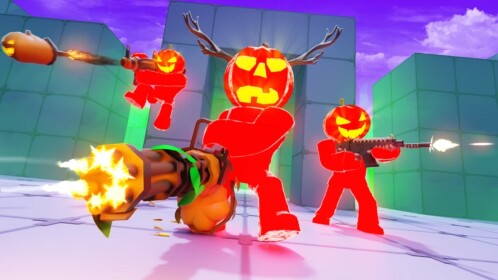
Not every Halloween-themed Roblox event ends before October 22. The event calendar checked for this report lists Steal An Egg’s Halloween Dimension and 99 Nights in the Forest’s Trick or Treat window through October 24. It lists Evade’s Halloween event into November. These are not part of the October 19–21 last-chance group, although individual quests, shops, or limited items may use separate timers.

How we checked the dates
This checklist uses a live third-party Roblox event calendar to identify approaching windows, then points readers back to official game pages and in-game event panels for final confirmation. The tracker is useful for discovery, but it is not the game developer. If a tracker, social post, old screenshot, and current in-game timer disagree, prefer the newest official in-game notice or developer announcement.
References: BloxRadar Roblox event calendar; Steal An Egg on Roblox; 99 Nights in the Forest on Roblox; Brookhaven RP on Roblox; RIVALS on Roblox; Fish It on Roblox.
Frequently asked questions
Which Roblox events should I check first on October 19?
Check Break and Steal an Egg and Climb For Animals Eggs first because their listed windows end on October 19. Verify the current in-game countdown before assuming either deadline is final.
Which listed events end on October 21?
The tracker lists Anime Dice Halloween Part 1, Morph World’s Halloween event, and a Cameraman Tower Defense Halloween/update window on October 21. Confirm each window in the live experience.
Does a game event deadline mean every reward disappears?
No. An event window, quest deadline, shop timer, and individual item expiry can differ. Check the item’s own countdown and the developer’s instructions.
Are these dates officially guaranteed?
No. The dates above are reported by a third-party event tracker and can change. Roblox experience pages and current in-game notices should be treated as the final check.
Is it safe to use a third-party site to claim a Roblox reward?
Use third-party calendars only to discover possible dates. Claim rewards inside Roblox or through official links, and never provide your password or account session details to an external site.
Author: Shivam Das






