Updated October 25, 2026 — U.S. readers: If you only have a little time to play Roblox this Sunday, prioritize rewards with a published deadline, then check any connected-game quests you have already started. The biggest confirmed platform-wide deadline right now is The Hollow: Roblox says players can keep collecting event rewards until noon Pacific time on November 2, 2026. The Halloween finale is scheduled for the morning of October 31, but Roblox has not announced an exact start time for that finale. Roblox’s official announcement is the source for those dates.
This is a deadline-first checklist, not a claim that every game has released a new item today. Roblox game events can change in-game, and a reward may require a quest, badge, currency threshold, or separate claim button. Always verify the item and its conditions in the game before spending Robux or trusting a third-party “free item” link.
1. The Hollow: Start here for the clearest published deadline
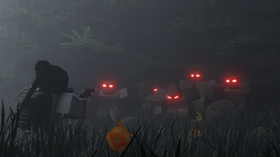
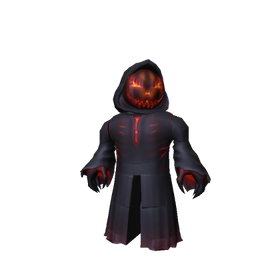
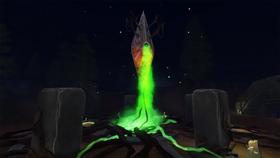
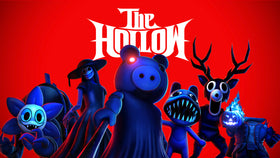
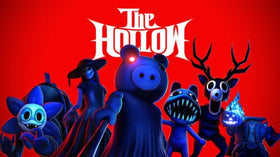
The Hollow is Roblox’s platform-wide Halloween survival event, featuring nine monsters from familiar horror experiences over nine nights. Players navigate a maze, look for clues, evade monsters, and complete quests to earn event rewards. The official schedule says rewards remain collectible until November 2 at noon Pacific time. That means Sunday is a useful catch-up day—but it is not the final day.
- What to do: Open the official The Hollow experience, review the quest board and any reward requirements, and finish the shortest incomplete quests first.
- Before leaving: Check whether the quest progress, badge, tickets, and item claim each registered. These can be separate steps.
- If a reward is missing: Rejoin once, check the relevant badge or quest status, and avoid repeatedly completing a long quest until you know whether the first completion counted.
Some players have recently reported delayed badge or ticket registration in community threads. Those reports are useful warning signs, but they do not establish that every player is affected or that a universal fix has shipped. If a reward does not appear, record the game, quest, time, badge status, and screenshot before contacting support.
2. Check Adopt Me’s Halloween activity and pet requirements
Roblox’s event announcement says Adopt Me! is bringing back its Hauntlet minigame with new rewards and pets. That is a confirmed seasonal activity, but individual availability, prices, and requirements should be checked inside the experience rather than inferred from old guides. Visit the game’s event area and look for the current timer, task list, and reward preview before spending event currency.
Quick check: If a pet or reward is advertised as free, verify whether it is earned through play, a limited-time currency, or a separate purchase. Do not assume a previous week’s requirements still apply.
3. Look for Bloxburg’s personal and group Halloween rewards
Welcome to Bloxburg is also named in Roblox’s official Halloween announcement, with seasonal minigames including Pumpkin Panic and Ghost Hunt and rewards for individual players and groups. If you are playing with friends, check both the personal task and any group objective: completing one does not automatically prove the other is finished.
Use the current in-game event panel as the authority for whether an activity is still open, what counts as completion, and whether the reward needs to be claimed after the round.
4. Check Grow a Garden and other event-linked experiences carefully
Players may also see seasonal quests or cross-game objectives in experiences beyond the main event hub. Do not assume every Halloween activity is part of The Hollow or that every badge grants a cosmetic directly. Some tasks may award event points or tickets that must then be exchanged in the hub.
For each experience, use this order: read the in-game quest text, complete the stated objective, confirm the badge or task completion, return to the event hub if instructed, and manually claim the reward if a claim button appears. If the game’s quest text differs from an online guide, follow the live game instructions.
5. DOORS and other horror-game quests: confirm the badge and the reward separately
DOORS is one of the horror games named in Roblox’s official event lineup. If a connected-game task is on your checklist, confirm that you completed the actual objective—not just launched the game—and then verify that the event hub recognized it. A badge can be evidence of completion, but a cosmetic may still have a separate claim or exchange step.
Roblox has not published one universal checklist of every individual item and every connected game’s exact quest steps in its main announcement. Treat specific item names, “secret” locations, and countdown claims from social posts as unconfirmed until the experience itself or its developer confirms them.
Sunday reward run: a practical 20-minute plan
- Minutes 0–3: Open The Hollow and screenshot your current ticket total and incomplete quests.
- Minutes 3–10: Complete the shortest quest you can reliably finish, then check its badge or task status.
- Minutes 10–15: Return to the hub and inspect each available reward pedestal or claim button.
- Minutes 15–18: Check Adopt Me and Bloxburg’s in-game Halloween panels for activities still available to your account.
- Minutes 18–20: Save evidence of any missing reward and report the issue through official Roblox support or the experience’s official support channel.
This order is designed to reduce wasted time, not to promise a specific number of items. If you have already completed the available quests, prioritize any unclaimed reward that has a clear deadline instead of repeating completed activities.
Official event source and experience links
Start with Roblox’s official The Hollow announcement and the official The Hollow game page. Roblox’s announcement confirms the event runs through November 2 and says rewards can be collected until noon Pacific time that day. It also confirms seasonal activities for Adopt Me and Bloxburg. It does not promise that every item in every game is free, nor does it verify every community-reported claim bug.
FAQ
When do The Hollow rewards end?
Roblox says rewards can be collected until noon Pacific time on November 2, 2026. The live finale is scheduled for the morning of October 31, but an exact start time has not been announced in the official event post.
Are all Roblox Halloween drops free?
No. The Hollow quests offer exclusive rewards, but Roblox also says Halloween avatar items are available for sale on the Marketplace, and Roblox Plus subscribers receive separate benefits. Check the in-game price and requirement before assuming an item is free.
What should I do if I earned a badge but did not get the item?
Rejoin once, check the quest and badge status, revisit the event hub, and see whether a separate claim or exchange is required. If it still fails, keep a screenshot and contact official support. Community reports alone cannot confirm a platform-wide fix.
Is there a new Sunday-only Roblox Halloween reward?
Roblox’s official announcement confirms the ongoing Halloween activities and deadlines, but it does not identify a special Sunday-only drop. Check each live experience’s event panel for newly added tasks or rewards.
Editorial note: Event details were checked against Roblox’s official announcement available on October 25, 2026. Game-specific quest requirements can change; verify them in the live experience before relying on a guide.