

Quick answer: Roblox’s new in-experience makeup creation feature lets players design and save custom makeup, eyelashes, and eyebrows from inside supported experiences. These creations can be saved to inventory, but they cannot be traded, resold, or listed on the Marketplace. Think of them as personal avatar customization—not tradable Limited items.
Roblox announced In-Experience Creation (IEC) for makeup on October 15, 2026. The feature allows participating games to offer tools for painting and assembling makeup directly on an avatar, with real-time visual feedback. Players can create looks such as eyeshadow, lipstick, face makeup, eyelashes, and eyebrows, then submit them through Roblox’s creation and moderation flow.
Roblox’s official developer announcement confirms the key restriction: in-experience makeup creations are for personal use and cannot be sold, traded, or resold.
What “cannot be traded” means
- You can keep and wear your approved creation. Once the creation is saved to your inventory, you can use it as an avatar makeup item where supported.
- You cannot trade it to a friend. There is no player-to-player trade route for these in-experience-created makeup assets.
- You cannot resell it for Robux. These creations are not resale inventory and are not listed for resale on the Marketplace.
- You should not create it expecting to make money from resale. The feature is for personal expression. Creator/game revenue sharing described by Roblox is a separate system from trading a player-created makeup item.
Can you use the makeup in other Roblox games?
The makeup is saved to your Roblox inventory, but that does not guarantee it will display in every experience. Compatibility depends on the avatar and experience. Roblox’s documentation says in-experience makeup creation currently supports R15 characters with MeshPart heads. Experiences may also have their own avatar or cosmetic restrictions. If a look does not appear in a particular game, check that game’s avatar settings and the item’s details rather than assuming it has been deleted.
Official documentation: In-experience creation for makeup and Roblox avatar makeup.
How to create makeup and save it
- Join an experience that supports makeup creation. Not every Roblox game has implemented the new creation tools.
- Use the in-game creator tools. Depending on the experience, you may be able to paint eye, lip, or face makeup and add eyebrow or eyelash accessories.
- Preview the result on your avatar. Check the fit and appearance before submitting.
- Review the purchase and confirmation screens. Some creation flows may involve a purchase. Confirm the cost before proceeding.
- Submit it for Roblox moderation. Created assets must pass Roblox’s validation and moderation process before they are safe to use.
- Check your inventory after approval. If the asset is not immediately available, check its moderation status and the experience’s instructions.
Can you earn Robux from making makeup?
Roblox’s announcement describes revenue sharing for purchases made through supported in-experience creation systems. It says creators can earn a 70% revenue share on purchases after recouping the creation advance, with the creator and experience-owner portions described in the announcement. That is not the same as selling your finished personal makeup to another player: the makeup assets created through this flow still cannot be traded or resold. Read the official announcement and the specific experience’s purchase prompt carefully before spending Robux.
Why Roblox may restrict trading
The feature is designed around personal customization, live preview, and Roblox’s asset validation and moderation rules. Keeping these creations non-tradable separates them from Marketplace items and Limited collectibles. It also means players should not rely on unofficial promises that a custom makeup look can be exchanged for Robux or traded later.
Custom makeup vs. tradable Roblox items
| Question | In-experience-created makeup | Eligible Limited items |
|---|---|---|
| Can you wear it? | Yes, where supported after approval | Yes, where supported |
| Can you trade it? | No | Eligible Limited and Limited U items may be tradable under Roblox’s rules |
| Can you resell it? | No | Eligible Limited items may be resold under Marketplace rules |
| Is it automatically supported in every experience? | No | Not necessarily; compatibility varies |
Roblox’s general trading rules are separate from this new makeup system. See Roblox Support’s trading guide for details on eligible Limited items and trading requirements.
Frequently asked questions
Can I trade custom makeup with my friend?
No. Roblox says makeup created through In-Experience Creation is for personal use and cannot be traded or resold.
Can I sell my custom makeup for Robux?
No. These creations are not listed on the Marketplace and cannot be resold. Revenue sharing in supported experiences is a separate feature.
Will the makeup stay in my inventory?
Approved creations are saved to your Roblox inventory. If you cannot see an item, check moderation status and the experience’s instructions.
Can I wear my makeup in every game?
Not necessarily. Support varies by experience and avatar setup; Roblox’s current documentation specifies R15 characters with MeshPart heads for in-experience makeup creation.
Does Roblox approve every creation?
No. Creations must pass Roblox validation and moderation. Content that violates the rules can be rejected.
Where can I try the feature?
Roblox points developers and players to the uncopylocked Roblox Avatar Creator demo. Check the official announcement for the latest access details.
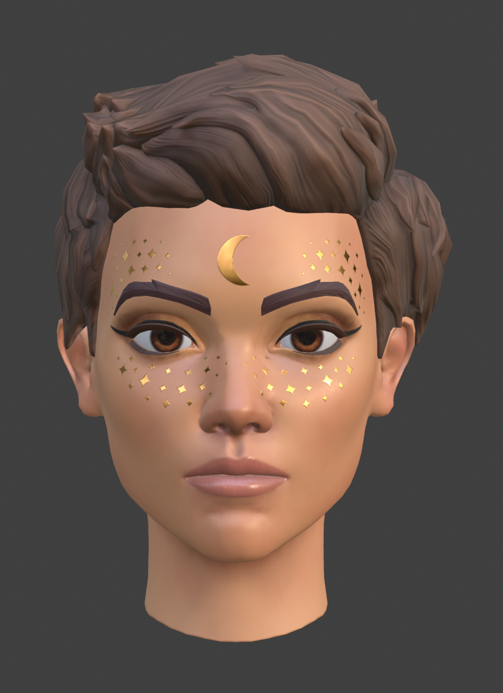
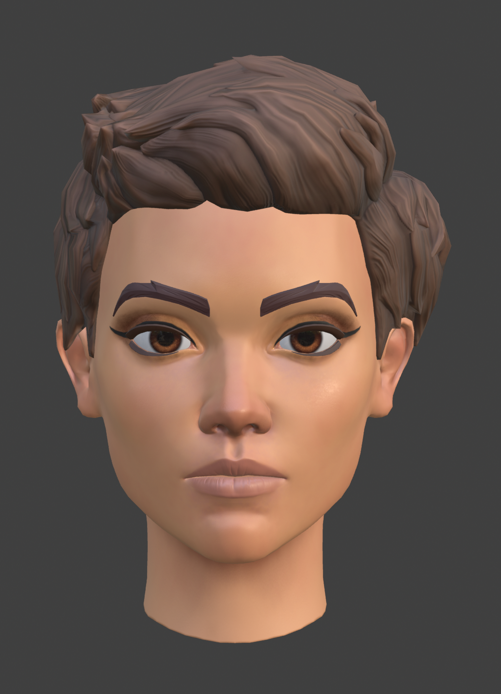
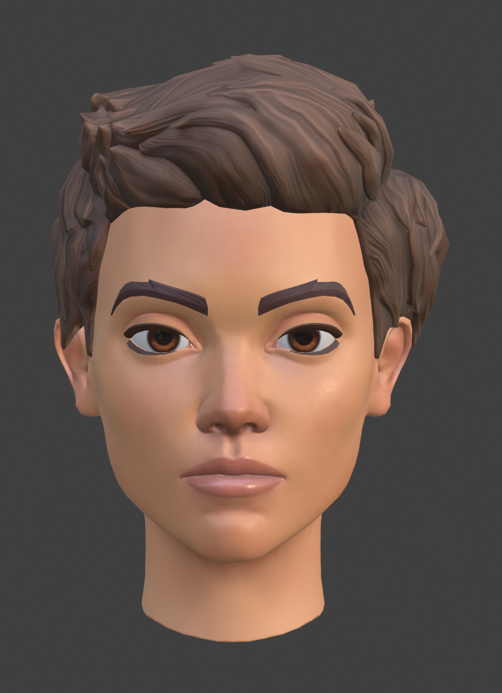
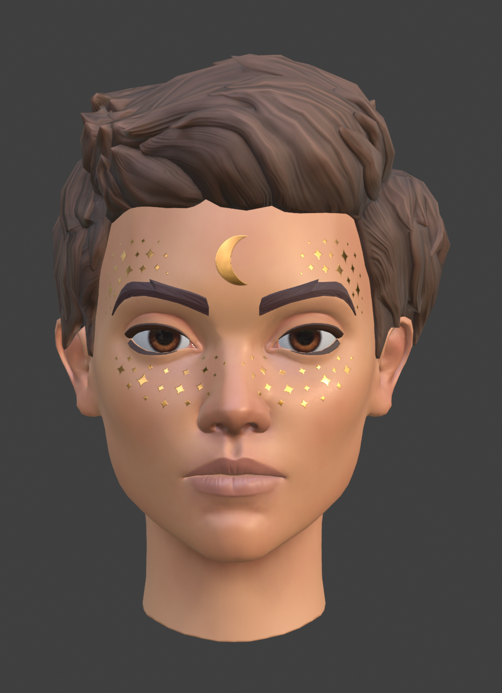
Visual examples: makeup types and avatar fit
Roblox’s official Creator Hub provides separate references for full-face, eye, lip, and face makeup. These examples help explain the types of looks that may be created, but they are not a guarantee that every Roblox experience has enabled the in-game editor.

Official sources
- Roblox Developer Forum: Makeup Now Available for In-Experience Creation
- Roblox Creator Hub: In-experience creation for makeup
- Roblox Newsroom: Avatar Makeup on the Marketplace
- Roblox Support: Trading on Roblox
By Shivam Das






