

Roblox’s new in-experience makeup creation feature is live for developers to build into supported games—but that does not mean you can create custom makeup in every Roblox experience. Announced on October 15, 2026, In-Experience Creation (IEC) lets participating experiences give players tools to design, preview, purchase, and save makeup assets such as eye makeup, lip makeup, face makeup, eyebrows, and eyelashes.
Quick answer: No, Roblox’s new makeup feature is not automatically available in every game. You can use it only in experiences whose developers have implemented the feature. Roblox’s official October 15 announcement says finished looks can be saved to a player’s inventory after the creation and purchase flow, subject to validation and moderation.
What exactly launched?
The update gives developers the tools to build makeup-creation features directly into their own Roblox experiences. Players may be able to paint or assemble a look while seeing it on their avatar, rather than guessing how a design will fit from a separate preview. Depending on how a game implements the system, supported asset types include eye makeup, lip makeup, face makeup, eyebrows, and eyelashes.
The key distinction is between Roblox’s existing Avatar Marketplace makeup and the newer in-experience creation system. Marketplace makeup can be browsed and equipped where supported. IEC is a developer-built creation flow that lets players make new eligible assets from inside a participating game. One feature does not mean every game has the other.
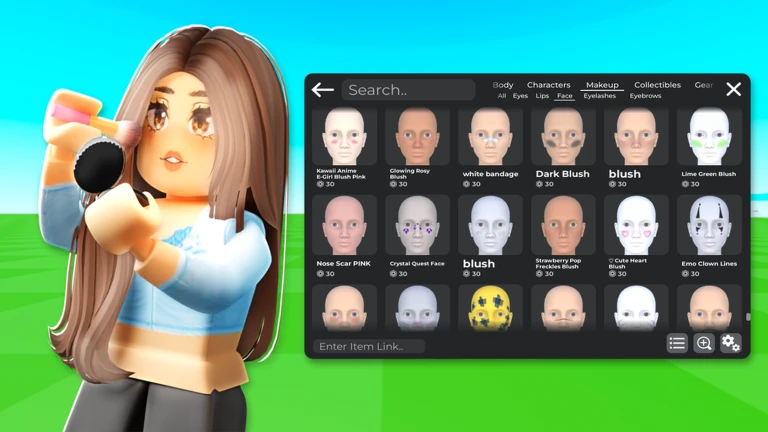
Can you use Roblox custom makeup in any game?
No—not in every game, and not with a guarantee that every item will display identically. The experience must implement the creation flow, and compatibility depends on the avatar and game. Roblox’s current developer documentation says in-experience makeup creation supports R15 characters with MeshPart heads. A game may use different menus, limit its supported options, or not offer the feature at all.
Roblox says completed eligible looks can be saved to the player’s inventory and transferred across other R15 heads they own. That is useful portability, but it should not be read as a promise that every Roblox experience supports every makeup item. Each game’s avatar settings and supported character types still matter.
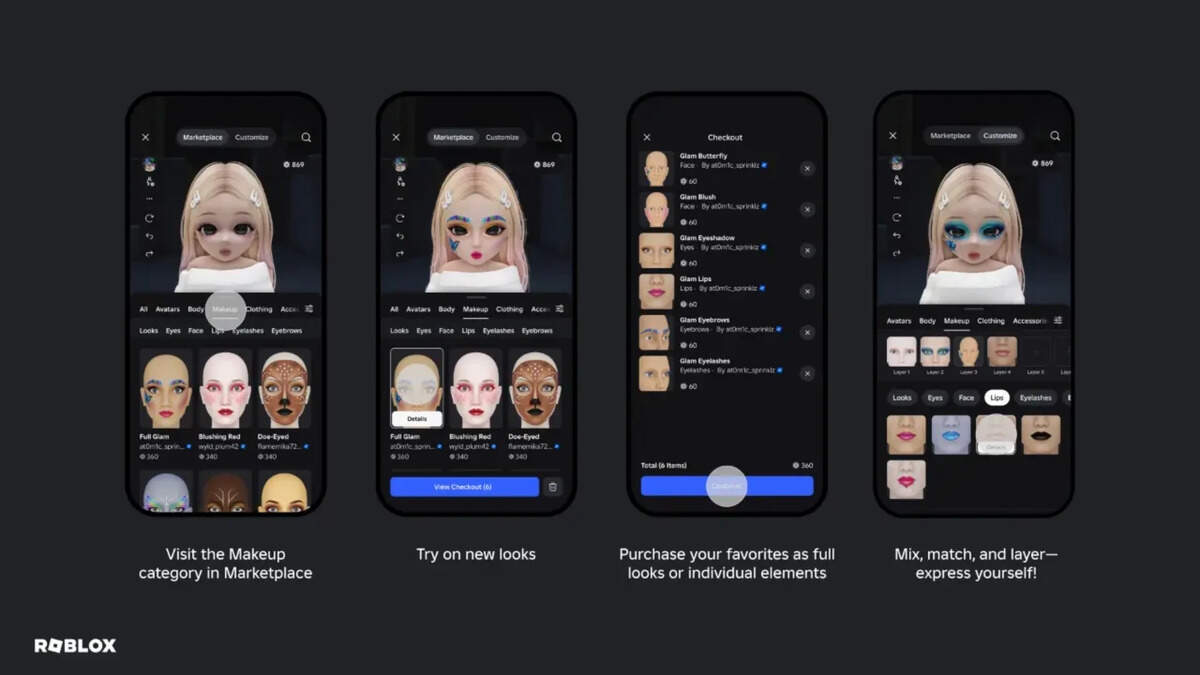
How to try the new makeup feature
- Start with the official demo. Open Roblox Avatar Creator, which Roblox recommends for trying the new tools. Roblox may show no running servers at some times, so availability can vary.
- Look for the makeup-creation tool. If the experience has implemented IEC, follow its in-game instructions to open the editor. A standard avatar shop or makeup catalog alone does not confirm that custom creation is enabled.
- Design and preview your look. Use the available tools to adjust the supported makeup layers and inspect the result on your avatar before submitting.
- Read every confirmation screen. Some creation flows require a purchase or have specific requirements. Check any price, asset type, or confirmation prompt before continuing.
- Wait for validation and moderation. Roblox says created assets must pass its validation and moderation checks. A submitted design may not become available immediately.
- Check your inventory. After the flow succeeds, look for the saved item. If it is missing, confirm whether creation and moderation finished and review the experience’s help instructions.

Can players sell or trade makeup they create?
Roblox’s current IEC announcement says in-experience creations are for personal use and cannot be sold, traded, or resold to other users. Saving an asset to your inventory is not the same as getting permission to resell it. The announcement also explains that developers who build eligible experiences can receive a share of purchases after the creation advance is recouped; that is a developer monetization detail, not a promise that players earn money from making their own looks.
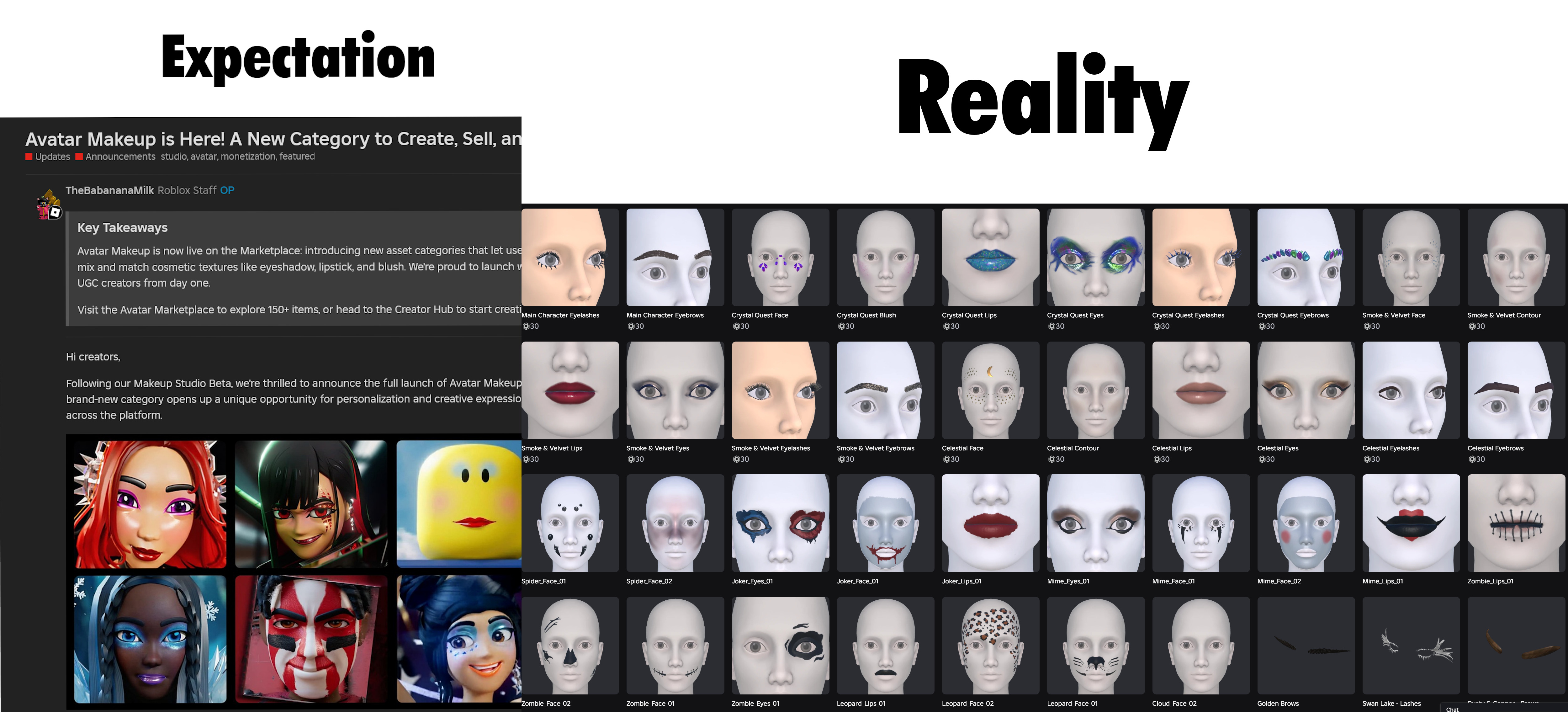
Official announcement and further reading
Roblox announced that participating experiences can let players create, purchase, and save makeup, eyelashes, and eyebrows directly to their inventory. The feature depends on each developer’s implementation, and creations remain subject to Roblox validation and moderation.
For the technical details, use Roblox’s official in-experience makeup documentation. It explains the supported asset types, creation APIs, token requirements, and moderation events. These are developer-facing requirements; ordinary players do not need to configure the APIs themselves.
What players should know before trying it
- It is not universal: the game developer must implement IEC.
- Avatar compatibility matters: Roblox’s documentation currently specifies R15 characters with MeshPart heads.
- Creation may not be free: review any in-game purchase prompt before confirming.
- Moderation applies: a submitted item may need to pass checks before it can be used.
- Resale is restricted: IEC creations cannot be traded or resold under Roblox’s current rules.
Frequently asked questions
Did Roblox release the makeup feature today?
Roblox announced in-experience makeup creation on October 15, 2026. Whether you can use it depends on which experiences have implemented the feature.
Can I create custom makeup in every Roblox game?
No. Only experiences that have built the in-experience creation flow can offer it. Other games may only let you equip existing avatar items or may not support makeup at all.
Will my custom makeup save to my Roblox inventory?
Roblox says eligible completed creations save to the player’s inventory after the creation flow, including any required purchase and moderation steps, succeeds.
Can I use the makeup on another avatar?
Roblox says finished looks can transfer across other R15 heads you own, but compatibility still depends on supported avatar types and individual experience settings.
Can I sell or trade makeup I make in a game?
No. Roblox’s current documentation says in-experience makeup creations are for personal use and cannot be sold, traded, or resold.
Where can I try the feature?
Start with the official Roblox Avatar Creator demo. Its availability can vary; if it is unavailable, check Roblox’s official documentation and announcements for updates.
Sources
- Roblox Developer Forum — Makeup Now Available for In-Experience Creation, October 15, 2026
- Roblox Creator Hub — In-experience creation for makeup
- Roblox Avatar Creator demo
- Roblox Newsroom — Avatar Makeup launch
By Shivam Das. Updated October 16, 2026. Feature availability, pricing, and in-game interfaces may change; check official Roblox resources for the latest details.






