

Quick answer: For many PC players, keyboard and mouse are a sensible starting point for quick camera turns and precise movement. A controller may feel more natural for gradual analog movement, while mobile touch controls are convenient but can make camera control harder during a chase. Roblox’s official announcement says The Hollow opens October 22, 2026, at 2 p.m. Pacific Time. Because the event has not opened yet at the time of writing, this is a practical preparation guide—not a claim that either setup has been tested inside The Hollow.
U.S. players should check the actual on-screen prompts and settings when the event becomes available. Control support can vary by experience.
Controller vs. keyboard: the practical difference
A keyboard gives you separate movement keys and a mouse for rapid camera adjustments. That can help when checking corners, turning toward an exit, or reacting to a sudden threat. A controller’s analog stick supports gradual movement and may feel more comfortable for players who already use one. Camera speed, button bindings, and comfort depend on the player and the experience.
Neither input method guarantees a better result. The best option is the one you can use without thinking about the buttons while watching the environment.
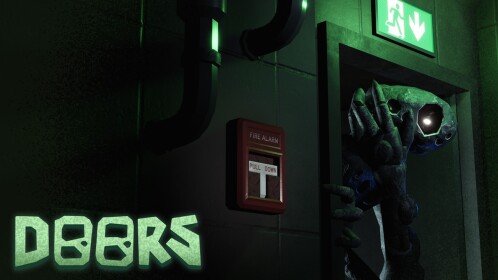
When keyboard and mouse may be the better pick
- Fast camera checks: A mouse can make quick turns feel direct if you are comfortable with its sensitivity.
- Deliberate movement: Separate movement keys can help some players make short adjustments around corners.
- Familiar controls: PC players can follow the actual prompts and adjust supported settings before starting a difficult run.
Test your usual camera sensitivity in a familiar Roblox experience before launch. Change one setting at a time; if the camera feels too fast, lower sensitivity in small steps and retest.
When a controller may feel better
- Analog movement: A stick allows gradual movement rather than only key-press movement.
- Comfort: Players who already use a controller may react more naturally with it.
- Button prompts: Follow the live experience’s displayed bindings instead of assuming another horror game uses the same layout.
Do not assume every action has a controller binding just because Roblox supports controllers in general. The individual experience determines how its controls are implemented. Check the prompts when The Hollow opens.
What about mobile touch controls?
Mobile is convenient when a PC or controller is unavailable, but your fingers may cover part of the screen and camera movement can compete with movement controls. Keep the screen unobstructed, use a comfortable grip, and make sure your device is charged. If the live experience offers sensitivity or control options, change one option at a time.
Five-minute control checklist before launch
- Open Roblox through the official app or website and make sure it is updated.
- Choose the input device you already know best; do not learn a new layout during a chase.
- Check camera sensitivity and test a full turn in a familiar experience.
- Read the actual on-screen prompts when The Hollow becomes available.
- If a button does not respond, verify the experience’s controls and reconnect the device before repeating a difficult section.

Which control method should U.S. players choose?
Start with keyboard and mouse on PC if quick camera turns are your priority and you already use that setup. Choose a controller if analog movement and comfort matter more and the live experience supports it. Use mobile when convenience wins, but check the camera and movement layout before attempting a long run.
The fairest verdict will come after players can test The Hollow itself. Until then, claims that one device definitively gives faster movement or a survival advantage are speculation—not verified event results.
Frequently asked questions
Does Roblox The Hollow support controllers?
This guide does not independently verify The Hollow’s live controller bindings before launch. Check the prompts and settings inside the event when it opens.
Is keyboard better than controller for maze running?
Keyboard and mouse can make rapid camera turns easier for experienced PC players. A controller can offer comfortable analog movement. Skill and settings matter more than a universal ranking.
Can I play The Hollow on mobile?
Confirm device compatibility and the live experience’s controls in the Roblox app when the event becomes available.
When does The Hollow open?
Roblox’s official announcement says the event opens October 22, 2026, at 2 p.m. Pacific Time. Active Roblox Plus subscribers can access the hub early at noon Pacific Time.
Are these images screenshots of The Hollow gameplay?
No. The lead image is official promotional artwork; the five in-body images are thumbnails from separate Roblox experience listings and are contextual references, not screenshots of The Hollow.
Sources: Roblox’s official The Hollow announcement; DOORS on Roblox; Piggy on Roblox; 99 Nights in the Forest on Roblox; Animal Hospital on Roblox; The Mimic on Roblox.






