

Quick answer: If Steal An Egg freezes, stops responding, or kicks you out when you enter the Halloween Dimension, wait briefly, leave and rejoin the experience, try another server, and test whether other Roblox games work. On mobile, close background apps and restart Roblox before clearing cache or reinstalling. A new game-wide “soft lock” has not been officially confirmed in the sources checked for this guide, so these are troubleshooting steps—not a guaranteed fix.
By Shivam Das · Updated October 20, 2026 · U.S. player guide

Some players have described freezes, lag, or repeated kicks when trying to enter the Halloween area, including reports from iPad users. Those posts are individual reports—not proof that every player is affected or that one confirmed bug explains every crash. The safest approach is to isolate whether the problem comes from one server, the Roblox app, your device, or the experience itself.
What “soft lock” can mean in Steal An Egg
Players use “soft lock” to describe different problems: a character appears stuck, an interaction prompt stops responding, the screen freezes, or the game disconnects. These symptoms can have different causes. A character that cannot move while the rest of the game animates is not necessarily the same issue as an app crash or network timeout.

The public reports reviewed for this article do not establish a developer-confirmed, universal Halloween Dimension soft lock. Check the Roblox status page during an outage, while remembering that a green status page cannot rule out a bug limited to one experience, device, or server.
Try these fixes in order
1. Wait briefly, then rejoin
If the game looks frozen, wait 30–60 seconds once, especially while an event area is loading. If nothing changes, leave the experience and rejoin from the official Steal An Egg Roblox page. Repeatedly tapping a frozen screen will not repair a stalled connection.
2. Join a different server
If the problem happens only in one session, rejoining may place you in a healthier server. If the same freeze happens again, note where it starts: immediately after entering the Halloween portal, during a specific interaction, or after several minutes. A server hop is a diagnostic step, not proof that the underlying issue is fixed.

3. Test another Roblox experience
Open a different Roblox game for a short test. If other games work but Steal An Egg repeatedly freezes, the issue may be specific to this experience or its current content. If several games fail, troubleshoot the Roblox app, device, or connection before blaming the Halloween update.
4. On iPhone or iPad, restart the app and free up resources
- Close Roblox completely, then reopen it.
- Close background apps using substantial memory or processing power.
- Restart the device if the app continues to freeze.
- Install available Roblox and operating-system updates from official sources.
- If the issue persists, follow official Roblox support guidance for your device before reinstalling.
Clearing app data or reinstalling should be a later step, not the first one. Before signing out or reinstalling, make sure you know your login details and can access any required verification method.
5. On PC, check the client and connection
Close and relaunch Roblox, pause large downloads, and try a stable connection. If you use a VPN, proxy, overlay, or third-party utility, test without it if safe and appropriate. Avoid unofficial “FPS boosters,” executors, or alleged soft-lock fix downloads; they can create account-security and malware risks instead of solving a bug.
6. Don’t spend currency or reset progress to test a fix
A troubleshooting step should not require deleting your account, trading pets, spending Candy Corn, or running a third-party script. If an interaction is stuck, try leaving and returning before making an irreversible in-game decision. Capture any error message that appears.

How to tell whether the fix worked
After rejoining, test the same action once and give the area time to load. If you can move, interact, and leave the Halloween Dimension normally, note which step helped. If the problem returns across several servers, gather evidence instead of repeating the same loop endlessly.
| Symptom | Next step |
|---|---|
| Only one server freezes | Leave and join another server. |
| Steal An Egg fails, other Roblox games work | Report the experience-specific issue with exact steps. |
| Several Roblox games crash | Check Roblox Status, restart the app/device, and test your connection. |
| Only the Halloween portal triggers the issue | Record device, time, portal steps, and whether it happens in multiple servers. |
| An interaction prompt does not appear | Move slightly, close menus, check contextual prompts, and rejoin if it remains stuck. |
How to report the soft lock to Roblox
Roblox’s official glitch-report guidance asks players to describe what happened, when it started, and whether it happens in one place or across multiple places. Include your device and operating system, approximate time and time zone, exact steps that trigger the freeze, whether other experiences work, and any error message or screenshot. Do not share passwords, verification codes, or account recovery details in a report or community chat.
Related Steal An Egg Halloween guides
- Steal An Egg Halloween Dimension: Final-Week Checklist
- Steal An Egg Halloween Dimension: Confirmed Details and What to Do
- Steal An Egg Secret Eggs: What’s Confirmed So Far
Frequently asked questions
Is the Steal An Egg Halloween soft lock officially confirmed?
The reports reviewed describe freezes, lag, or kicks, but do not establish a developer-confirmed bug affecting every player. Treat it as a reported symptom unless developers publish a specific confirmation.
What is the fastest thing to try if the Halloween portal freezes?
Wait briefly, leave the experience, then rejoin through the official Roblox game page. If it repeats, try a different server and test another Roblox experience to narrow down the cause.
Should I reinstall Roblox right away?
No. Start by restarting the app, rejoining, checking your connection, and testing another experience. Consider reinstalling only if simpler steps fail and you can safely sign back in.
Will switching servers delete my pets or progress?
Changing servers is not intended to delete account progress, but no guide can guarantee how every in-game action is saved during a connection problem. Avoid trades or event spending while the session is unstable, and verify your inventory after reconnecting.
Where should I report a Roblox glitch?
Follow Roblox’s official glitch-report instructions and provide reproducible steps, device details, timing, and screenshots where useful.
Bottom line: Rejoin, test another server, check other Roblox experiences, and report the issue with clear evidence. No single fix is guaranteed until the cause is identified, and players should avoid unofficial scripts or tools promising a one-click solution.
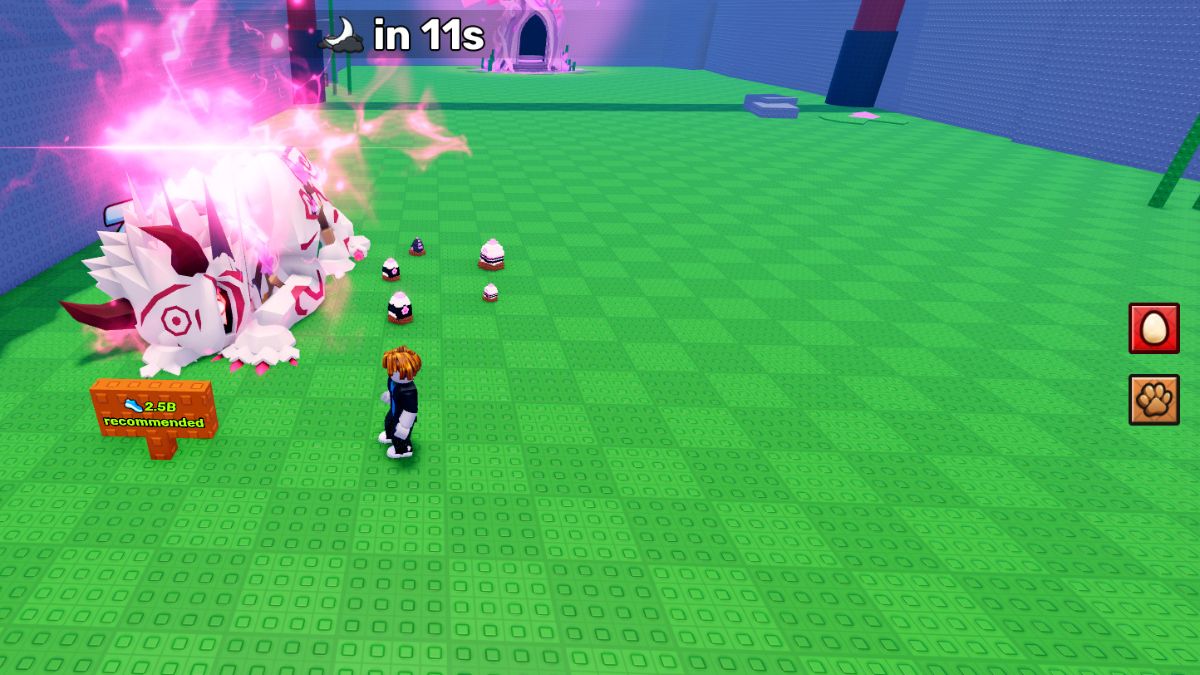
Image note: The five images are third-party Steal An Egg gameplay references credited where used. They illustrate the game generally; none is presented as proof of the reported soft lock.






