Quick answer: Roblox has not published a verified, Hollow-specific mobile-data figure, and no reliable public test establishes exactly how many megabytes The Hollow uses in its first hour. Your total depends on your phone, network, game assets, updates, voice features, and how long you spend loading or switching experiences. Measure a controlled session on your own device rather than trusting a made-up number.
For U.S. players · Updated October 22, 2026 · By Shivam Das
Roblox’s official announcement says The Hollow begins October 22 and features nine horror experiences. That makes launch-day data use a fair question for players using a limited cellular plan or phone hotspot. But an event announcement is not a network benchmark: Roblox has not supplied a per-hour mobile-data test for The Hollow.
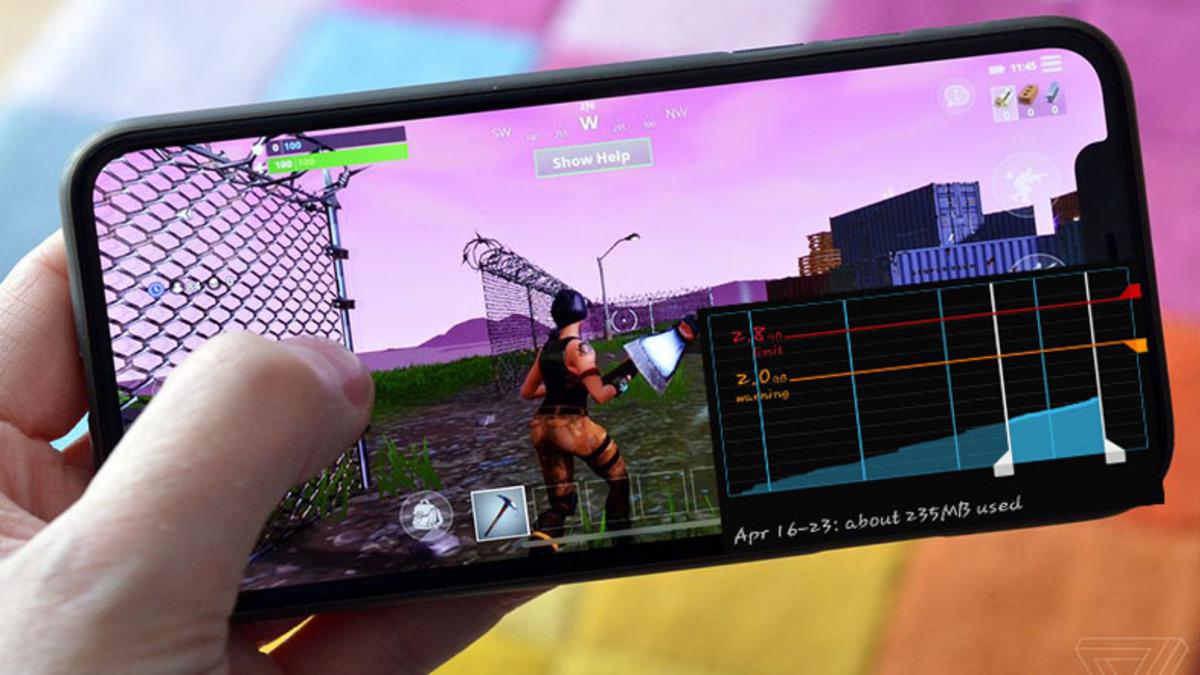
How much data will The Hollow use in one hour?
There is no verified The Hollow-specific number yet. General online-gaming estimates are useful only as rough context, not as measured Roblox results. Samsung’s mobile-data guide gives broad estimates for different activity types, while Ericsson explains that ordinary multiplayer gameplay usually transfers relatively small gameplay updates. Large downloads and updates are different and can use far more data than a live session.
For launch day, treat your first hour as a test, not a guaranteed allowance. If your plan is tight, begin on Wi-Fi, check that Roblox and your device are updated before leaving home, and measure cellular use only when you are ready to play. Do not assume a number from Fortnite, Mobile Legends, or another Roblox experience is exact for The Hollow.
Why your first hour may use more data than later sessions
- Initial loading: The app may retrieve game assets or content not already cached on your device.
- Switching experiences: Moving between the event hub and different games can trigger additional loading.
- Updates: An app or experience update may consume much more data than ordinary play. Download updates over Wi-Fi where possible.
- Voice and social features: If you use voice chat or other real-time features, your total may differ from a session without them.
- Background activity: Cloud backups, app updates, video feeds, and other apps can use cellular data while you play.
How to measure Roblox mobile data use on iPhone
- Open Settings and tap Mobile Service (or Cellular, depending on iOS version).
- Scroll to the app list and find Roblox. Note its current usage if available.
- For a clean test, you can use Apple’s Reset Statistics option before starting. Record anything you need first because this resets the period’s device-side statistics.
- Turn off Wi-Fi, launch Roblox, and play The Hollow for a timed 60-minute session. Avoid streaming video or downloading other apps during the test.
- Return to the same screen and compare Roblox’s figure. If you cannot isolate Roblox’s usage, record the total cellular change and keep other activity to a minimum.
Apple notes that device statistics may not match a carrier’s measurements exactly. For billing or plan-limit decisions, your carrier’s usage record is the better final reference.
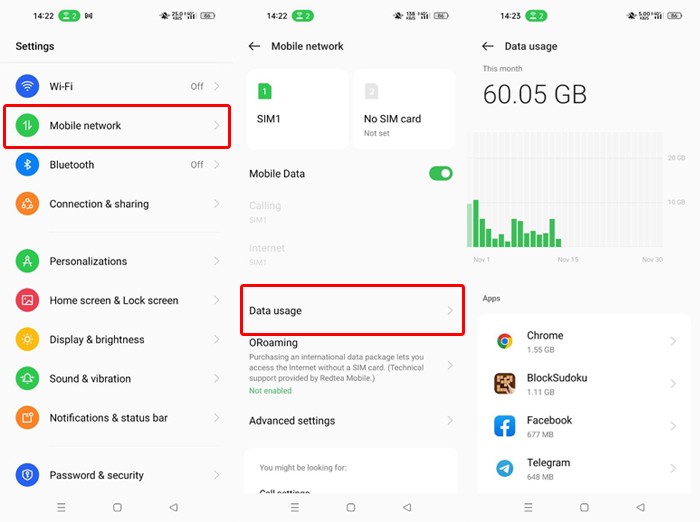
How to check data usage on Android
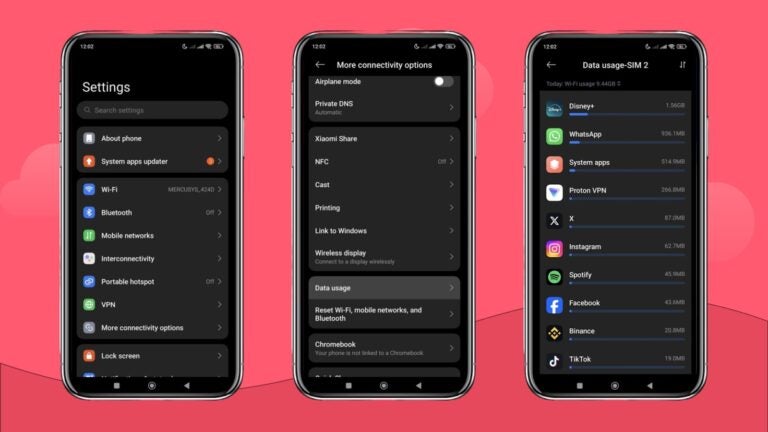
Menu names vary by phone brand and Android version, but the general path is Settings → Network & Internet (or Connections) → Data usage → App data usage. Find Roblox, choose a time period that matches your test, and note its cellular total. On Samsung phones, the path is usually Settings → Connections → Data usage → Mobile data usage.
- Record Roblox’s current mobile-data total before playing.
- Disable automatic app updates over cellular data and pause large cloud backups.
- Play for exactly one hour with Wi-Fi off if you want to test cellular use.
- Return to the same app-data screen and calculate the difference.
- Repeat the test once if the result looks unusual. Keep the same device, network, and play pattern where possible.

Five ways to avoid burning through your data allowance
- Download updates on Wi-Fi. App updates and fresh game assets can be much larger than normal gameplay traffic.
- Set a warning. Android can alert you when cellular use reaches a threshold. iPhone users can monitor app usage and check their carrier’s account dashboard.
- Keep background apps quiet. Pause cloud-photo uploads, automatic downloads, and high-data apps during the test.
- Use Wi-Fi for long sessions. A trusted Wi-Fi connection is the simplest way to protect a limited cellular allowance.
- Do not stream a creator’s video in parallel. Watching a live stream while playing can use much more data than the game alone.
What the official event announcement confirms—and what it does not
Roblox’s newsroom describes The Hollow as a Halloween survival event with nine horror-game experiences, a different monster appearing across nine days, and a live finale on October 31. It does not publish a mobile-data-per-hour benchmark, device-by-device usage chart, or guaranteed data cost for a session. We will not label a guess as an official measurement.
Read the official Roblox announcement for The Hollow. For phone-specific instructions, see Apple’s guide to mobile data on iPhone, Google’s Android data-usage guide, and Samsung’s guide to managing data usage.
For more launch-day planning, read our The Hollow Day 1: What to Do If You Only Have 45 Minutes guide. Measure your own phone’s first hour: a verified personal result is more useful than a viral but unsupported data-use claim.
Frequently asked questions
How many MB does Roblox The Hollow use per hour?
No reliable public test or official Roblox figure currently establishes an exact MB-per-hour amount for The Hollow. Measure Roblox’s app-specific cellular usage before and after a timed session.
Does The Hollow use more data than regular Roblox gameplay?
That has not been verified. Loading new assets or switching between experiences may change usage, but no published comparison proves that The Hollow uses more data than a typical Roblox session.
Will playing on Wi-Fi use my cellular data?
Normally, gameplay carried over Wi-Fi is counted as Wi-Fi usage rather than cellular data. Check your device’s network indicator and settings, because a weak Wi-Fi connection or device feature may switch traffic to mobile data.
Can I reduce data use without changing gameplay settings?
Yes. Download updates on Wi-Fi, pause background downloads and backups, avoid watching streams at the same time, and use your phone’s data-usage screen to find unexpected consumption.
Is the data shown in phone settings always identical to my carrier’s bill?
No. Apple and Google note that device-side measurements can differ from carrier totals. Use the carrier’s records when checking a plan limit or investigating a billing issue.
Are these images screenshots from The Hollow?
No. They are illustrative photos or settings examples from their credited publishers. They are not represented as The Hollow gameplay, Roblox test results, or proof of the event’s data usage.
Author: Shivam Das
Editorial note: This article distinguishes verified event information from unmeasured data usage. It will be updated if Roblox publishes an official benchmark or a reproducible test becomes available.