
Updated October 26, 2026 · By Shivam Das
Quick answer: Roblox says players can continue collecting The Hollow rewards until noon Pacific Standard Time on November 2, 2026. If you earned an item but have not completed its claim process, do not assume it will remain claimable after the cutoff. Roblox has not publicly explained the post-deadline fate of every reward type, so finish eligible quests, claim each reward, and verify it in your account before the deadline.
Table of Contents
- The official November 2 deadline
- Claimed versus unclaimed rewards
- What Roblox has confirmed
- How to secure rewards before the cutoff
- What to do after November 2
- Avoid fake recovery offers
- Frequently asked questions
The official November 2 deadline: what it means
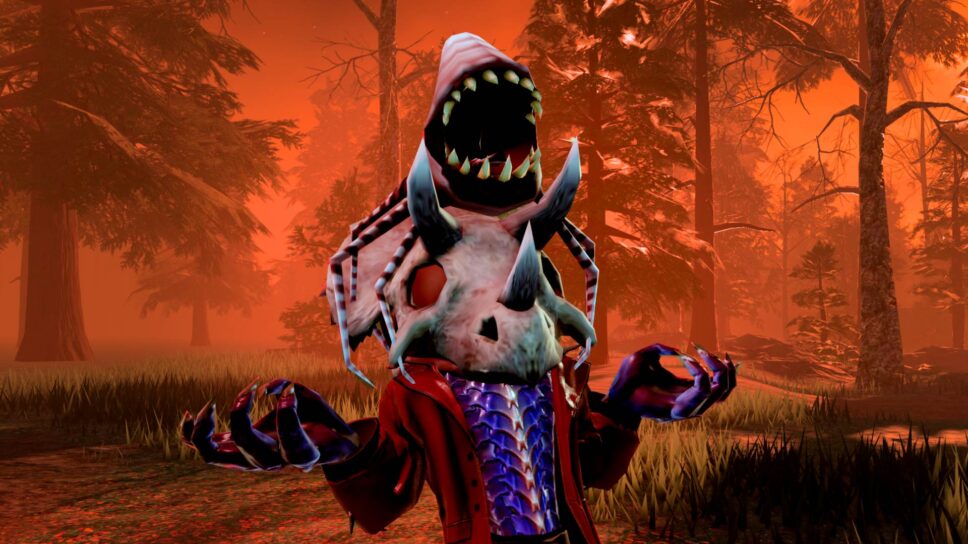
Roblox announced The Hollow as a platform-wide Halloween survival event featuring nine horror-game monsters over nine days. Players explore changing mazes, search for clues, evade monsters, and complete quests to earn exclusive user-generated-content (UGC) avatar items and other rewards. Roblox’s official newsroom post says a live finale is planned for the morning of October 31, and players can continue collecting rewards until noon PST on November 2, 2026.
October 31 and November 2 are separate milestones. The finale is the live Halloween event; November 2 is the stated end of the reward-collection window. If you finish the finale but still have a reward waiting in a quest panel, do not assume that watching the finale or completing another quest automatically claims it.
For U.S. players, the announcement uses Pacific time. The deadline is noon Pacific Standard Time on Monday, November 2. Daylight saving time ends in much of the United States on November 1, so follow the stated PST deadline and avoid leaving claims until the last few minutes. Players outside the United States should convert the cutoff to local time carefully.
Official source: Roblox Newsroom — The Hollow Halloween survival event.
Claimed versus unclaimed: the important difference
Think of rewards as having three stages: progress completed, reward claimed, and ownership verified.
- Progress completed: The event or participating experience records that you finished an objective. That is a good sign, but it may not be the final collection step.
- Reward claimed: You completed the action required to collect the item, badge, or reward. If the experience displays a claim button or confirmation, follow that flow.
- Ownership verified: You checked the relevant inventory, badge, or reward panel and can see the item or achievement where expected.
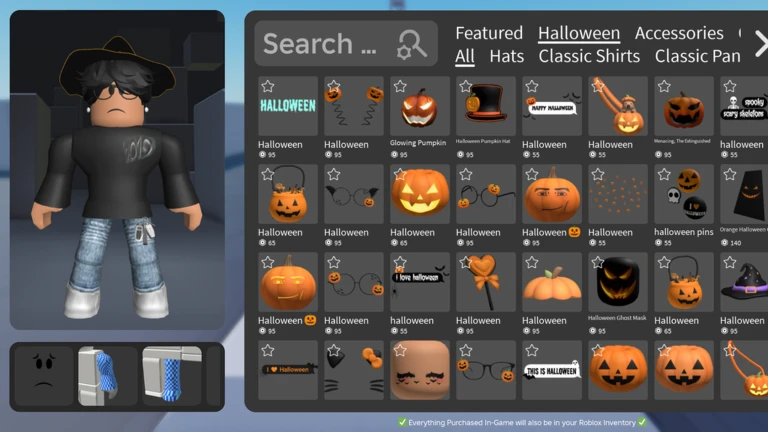
These stages are not always interchangeable. A player may finish a maze and assume an item was delivered, then discover that the reward needed a separate claim action. Conversely, an item already visible in the account is different from a prompt that is still waiting in the event interface.
Roblox confirms the collection deadline, but its public announcement does not provide a detailed post-deadline policy for every possible reward state. It does not enumerate which pending tokens, prompts, or quest rewards may disappear, nor does it promise a grace period or automatic conversion. This guide therefore does not claim that every unclaimed item is guaranteed to be deleted—or that every item will remain available. The reliable advice is to claim and verify eligible rewards before the cutoff.
What Roblox has—and has not—confirmed
| Question | Confirmed information | Safest action |
|---|---|---|
| When does collection end? | Noon PST on November 2, 2026. | Claim before the cutoff. |
| Does the finale end the reward window? | The finale is October 31; the claim deadline is later. | Use the remaining time, but check each quest. |
| Will a claimed avatar item be removed? | The announcement does not say successfully claimed items will be removed. | Verify the item in your account. |
| Can every unclaimed reward be recovered later? | Roblox has not guaranteed a recovery window for every reward. | Do not rely on post-deadline recovery. |
| Will missed rewards be granted automatically? | No automatic grant is promised in the public announcement. | Follow in-game instructions and contact official support if a confirmed claim fails. |
The official The Hollow experience page says players can complete event quests in the hub and participating experiences to earn avatar items. Check the experience itself for current objectives and claim instructions. Fan-made trackers can help you organize tasks, but they cannot guarantee how the live event handles rewards after the deadline.
How to secure your rewards before November 2
- Open The Hollow from Roblox. Use the official experience page linked above. Confirm you entered the intended experience, not a copycat with a similar title.
- Review every active quest. Read the current objective and note whether it requires a maze clear, clue search, survival task, or activity in a participating experience.
- Complete the stated requirement. Follow the current in-game instructions. Do not rely on an old video if the quest wording has changed.
- Return to the reward area. If the experience provides a separate claim button or confirmation step, complete it instead of leaving immediately after the objective.
- Check reward status. Look for a claimed or completed state. If the game uses badges or a quest tracker, review those panels too.
- Verify avatar items in inventory. Roblox Support explains that Marketplace avatar purchases can be checked through Inventory and its relevant categories. Use the category that matches the item type.
- Record anything that looks wrong. Note the quest name, approximate completion time, displayed status, and any error message. A screenshot of an in-game confirmation may help when explaining the issue to official support.
- Leave a buffer. Finish checks on November 1 or earlier instead of waiting until the final minutes of November 2.
What should you do after November 2 if a reward is missing?
If the deadline has passed, first work out whether the reward was ever claimed. If it was only an unfinished quest or unclaimed prompt, the announced collection window has ended, and Roblox has not promised that every missed reward can be recovered. A visible old progress entry is not proof that the reward is still claimable.
If you believe you claimed the reward before the deadline, check your Roblox inventory and the relevant category. Refresh the interface or sign out and back in through the official app or website if needed. Roblox Support’s article about missing Marketplace purchases recommends checking Inventory categories. Event rewards may behave differently from Marketplace purchases, so also follow the event’s own instructions.
If the item still does not appear, contact official Roblox Support. Explain what you completed, when you completed it, and what the experience showed. Include screenshots or other relevant details if available. Support may need to investigate, and a request is not a guarantee that an expired event reward will be restored.
Never send your password, authentication codes, browser cookies, or recovery codes to someone claiming they can restore a reward. A third-party recovery service is not an official Roblox program simply because it uses Roblox logos or screenshots.
Avoid fake reward recovery offers
Limited-time events attract fake codes, impersonation accounts, and websites that copy Roblox branding. Be especially careful after a deadline, when players may worry they missed a rare item.
- Do not share your password or one-time verification code.
- Do not paste browser cookies into a website or send them in direct messages.
- Do not install an extension, executable, or mobile app from a stranger to unlock expired UGC.
- Do not assume a screenshot or creator claim proves an official recovery program exists.
- Use Roblox’s official experience page, newsroom, and support channels to verify announcements.
A creator walkthrough can help explain a maze or quest, but it is not necessarily an official statement about deadline exceptions. Check the live objective in your own game.

Official links to bookmark
- Roblox Newsroom: The Hollow event announcement — official dates, monster lineup, finale, and reward deadline.
- The Hollow on Roblox — the event experience and current quest instructions.
- Roblox Support: Where is the item I just bought with Robux? — official guidance on checking Marketplace items.
- Roblox Support — report an item or account issue.
Frequently asked questions
What happens to unclaimed The Hollow rewards after November 2?
Roblox says the reward-collection window ends at noon PST on November 2, 2026. It has not explained the fate of every individual unclaimed reward, so do not assume pending rewards will remain claimable afterward.
Will I lose an avatar item I already claimed?
The official announcement does not say successfully claimed avatar items will be removed after the deadline. Verify the item is in your inventory; an item already claimed is different from a reward still waiting for collection.
Is October 31 the last day to claim rewards?
No. Roblox announced a live finale for the morning of October 31 and said players can continue collecting rewards until noon PST on November 2. Individual quest requirements may vary, so check the live hub.
Can Roblox Support restore a missed reward?
You can contact official support if a reward you believe you claimed did not arrive, but Roblox has not publicly guaranteed that every unclaimed event reward can be restored after the deadline.
How do I check whether a UGC item was added to my account?
Open your Roblox inventory and inspect the category that matches the item. If the event has a separate claim step, verify that too. If the item remains missing, contact Roblox Support.
Are there official codes to recover expired Hollow rewards?
The official event announcement does not provide a universal recovery code for expired rewards. Treat third-party recovery codes and login requests with caution.
What is the safest final-week strategy?
Finish available quests, claim each eligible reward, verify the item or badge in your account, and record any error before the November 2 cutoff. Do not wait until the last few minutes.

