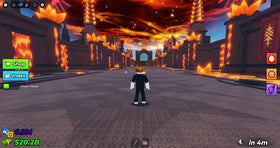
Quick answer: On Sunday, October 18, 2026, US Roblox players should first check the live Events panel for any Sunday launch, then spend their main session progressing through Halloween events that are already running. The schedule currently lists a “Break and Steal an Egg” update for 8 a.m. Eastern / 5 a.m. Pacific, while Dress To Impress, FischFright 3, 99 Nights in the Forest, and Grow a Garden remain worth checking. Event times and rewards can change, so verify each game’s live Roblox page before planning around a countdown or spending Robux.
Roblox does not have one universal Halloween event schedule. Each experience sets its own launch time, quest rules, and rewards. Day 2 is less about trying to play everything and more about choosing the event that best fits your available time.
Roblox Halloween Day 2 schedule for US players
Use Eastern Time (ET) and Pacific Time (PT) below as planning references. The listed times come from public event calendars and can move if a developer updates the event.
| Event or game | What to do on Day 2 | US timing / status |
|---|---|---|
| Break and Steal an Egg update | Check the game’s event panel, update notes, and limited-time tasks before grinding. | Listed for Sunday, Oct. 18 at 8 a.m. ET / 5 a.m. PT; reconfirm in Roblox. |
| 99 Nights in the Forest — Trick or Treat | Return to the event area, read quest prompts, and check which objectives can be repeated. | Launched Saturday and is listed as an ongoing limited-time event. |
| Dress To Impress — Halloween | Open the quest board first, then plan your runway session around tasks and item requirements. | Launched Saturday; check the current event panel for changes. |
| Fisch — FischFright 3 | Review the event bestiary and active objectives before farming a particular catch. | Launched Saturday; the event listing runs into November. |
| Grow a Garden — Ghoul Garden | Check the event area and shop stock, then prioritize tasks with visible progress or a stated expiry. | Launched Saturday; listed as continuing through the following week. |
For the published weekend schedule, see Gaming Route’s Roblox Halloween event start-time roundup. Treat third-party calendars as a planning aid, not a substitute for the game’s own live event panel.
A practical Day 2 plan that avoids wasted grinding
1. Spend five minutes checking what changed
Before joining a server, open the official Roblox experience page and read the latest event description. Look for start or end times, quest requirements, reward conditions, and developer notes. If a social post claims a secret reward or guaranteed drop rate but the game does not confirm it, treat that claim as unverified.
2. Choose one main event and one backup
Pick the experience you most want to progress in as your main session. Keep a second event as a backup for a short check-in. Trying to complete every Halloween quest in one day can turn a fun weekend into a checklist marathon, especially when events overlap or require repeated tasks.
3. Capture progress before you leave
Check the quest tracker, inventory, badge list, or event board before switching games. If a reward has a claim button, use it and confirm it appears in your inventory. A completed objective does not always mean a reward has been claimed.
What to prioritize in each major event
Dress To Impress: check quests before buying cosmetics
Start with the Halloween quest or event board and read each objective. Separate items earned by playing from items that require a pass or Robux. If a limited item is available, check its displayed cost and expiry in-game rather than relying on a reposted screenshot.
Related guide: Dress To Impress Halloween: ghost-hunting and tarot-card tips.
FischFright 3: follow the objective list, not rumors
Check the event’s current bestiary, NPC dialogue, and task requirements. Keep a short note of what you have already completed so you do not repeat a low-value activity. Do not assume a code, drop rate, or named reward is valid unless it appears in the live game or a current developer announcement.
Related guide: FischFright 3: Treats, Hex Energy, and event progression.
99 Nights in the Forest: follow the active Trick or Treat prompts
Use the current in-game quest prompts to decide whether to explore, gather supplies, or return to camp. In a survival game, a safe run with clear progress is often more useful than chasing a rumor about a hidden item. Confirm reward requirements in the event interface before committing to a long session.
Grow a Garden: check the event area and shop stock
Because shop stock and event tasks can change, check the in-game interface before planning a farming route. Prioritize objectives that show clear progress and avoid spending premium currency unless the item’s cost and purpose are clear.
Related guide: Best free rewards to check across Roblox Halloween events.
How to avoid fake codes and misleading reward posts
- Open the game from its official Roblox experience page rather than an unfamiliar reward link.
- Never enter your Roblox password or browser cookies on a third-party “free Robux” or reward page.
- Check a code in the game’s official redemption interface; a code posted for another experience will not work here.
- Look for the reward in your inventory or quest tracker before assuming it was granted.
- Be cautious with screenshots that lack a date, game name, or link to the original developer announcement.
For broader planning, read our Steal An Egg Halloween Dimension Day 1 report and compare current game notices with claims circulating on social media.
Official game pages to check before you play
- Dress To Impress on Roblox
- Fisch on Roblox
- 99 Nights in the Forest on Roblox
- Grow a Garden on Roblox
- Adopt Me on Roblox
Frequently asked questions
What should US players do on Roblox Halloween Day 2?
Check live event panels first, choose one main event to progress in, and confirm any reward in your inventory before leaving. The best order depends on which quests are active and how much time you have.
What time does the Break and Steal an Egg update start?
A public event calendar lists it for Sunday, October 18, 2026, at 8 a.m. Eastern / 5 a.m. Pacific. Confirm the time on the official Roblox event page because developers can change schedules.
Are all Roblox Halloween rewards free?
No. Some rewards may be earned through gameplay, while other items may require Robux or a pass. Check the price and requirements in the game before buying.
Can I trust Roblox Halloween codes posted on social media?
Not automatically. Check whether the developer has published the code and redeem it only through the game’s official interface. Avoid third-party sites asking for account credentials.
Do all Roblox Halloween events end on the same day?
No. Each experience sets its own schedule. Check the current event panel for the start time, end time, and any changes.
Editorial note: This guide distinguishes published event schedules from details that may change in-game. The images are official Roblox experience thumbnails used for context; they are not presented as screenshots proving specific Halloween rewards.