

If you're preparing for The Deer in Roblox's The Hollow, the best free UGC choice is the item you have actually earned from the event—not a look-alike accessory from the Marketplace. The Hollow mixes maze survival, monster encounters, and avatar rewards, so it's worth separating cosmetics you can claim for free from deer-themed items that are simply sold by creators.
Updated October 24, 2026: Roblox's Halloween event is running now, and its reward window is reported to close on November 2. Daily monster order and item-by-item reward labels are not consistent across every third-party guide, so check the live event hub and the reward prompt in your own game before spending time on a specific claim.
Quick answer: which free Hollow UGC should you equip?
Equip the Hollow reward you have already unlocked that best fits your avatar, and verify the item in Roblox's Avatar Editor. There is no gameplay advantage confirmed for wearing a particular UGC cosmetic during a maze run. Cosmetics change your look; they do not make The Deer slower, reveal clues, or guarantee survival.
- For a Deer-themed look: use an antler or forest-style item only if it is already in your inventory or clearly marked free in the official event flow.
- For a clean survival run: choose a compact accessory that doesn't obscure your avatar's face or make it harder for you to read the screen.
- For a rare-reward flex: equip the Hollow item or badge-linked cosmetic you genuinely earned, rather than a similar-looking Marketplace item.
How to claim free UGC in The Hollow
- Open Roblox and enter the official The Hollow event experience from Roblox's event listing or a trusted official Roblox link.
- Check the active floor, objective board, and any featured-game quest cards. The event's free rewards are tied to completing event objectives, not to entering a random code.
- Complete the stated puzzle or quest, then follow the on-screen claim prompt. Don't leave until the game confirms the objective or reward.
- Open your Roblox Avatar Editor and check the relevant category—such as hats, hair, face accessories, or back accessories—to confirm the item has been added.
- If the reward does not appear, rejoin the event, check the quest status, and allow time for inventory updates. Do not share your password or use third-party “free Robux” sites to claim it.
The Hollow guides currently describe quest-based UGC rewards and an event deadline of November 2, 2026. The exact daily reward lineup can change as floors and quests unlock, so use the live in-game objective as the final authority.
Night 4 and The Deer: what players should verify
One important detail: third-party pages do not all agree on the daily monster order or which badge name maps to a specific wearable item. Some guides place The Deer on a different night than others. Because of that discrepancy, don't rely on a countdown or a copied schedule alone. Open The Hollow and confirm the active floor, monster name, and reward shown in your session.
Before a Night 4 run, check three things: (1) the monster name shown in the event hub, (2) whether your target UGC is explicitly listed as a reward for the task you're doing, and (3) whether the item is free or requires Robux/Tickets. A badge name is not always proof that a matching wearable item has been granted.
Best avatar setup for a Deer-themed run
- Keep visibility first: avoid oversized headgear if it blocks your view or covers important on-screen prompts.
- Match the atmosphere: brown, black, and muted forest tones suit a Deer-inspired look without needing a paid item.
- Use only owned items: open Avatar Editor and select cosmetics already in your inventory. Never assume a third-party catalog screenshot means the item is free.
- Separate style from strategy: outfit choices are cosmetic. Learn the maze, follow the current objective, and watch for the monster rather than expecting an accessory to provide a hidden buff.
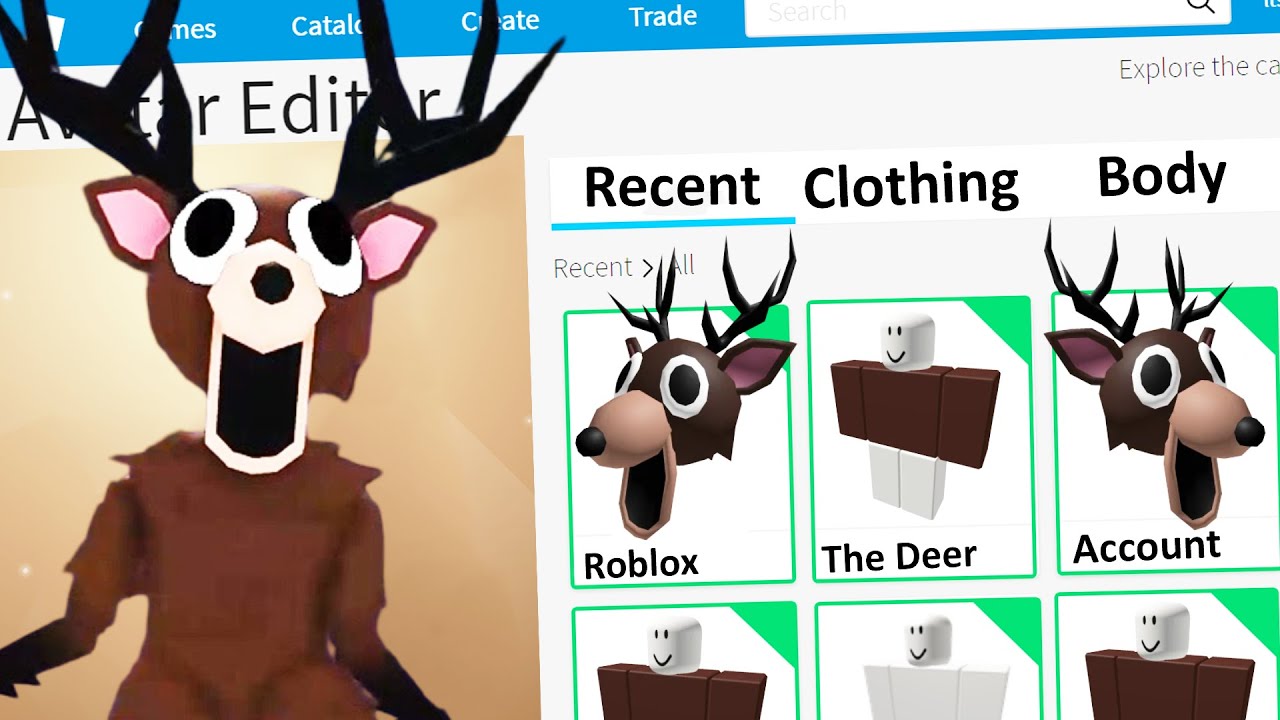
Is the Deer UGC free, limited, or paid?
Do not judge an item's status from its design alone. The Hollow's quest rewards, Roblox Marketplace items, and unrelated creator-made deer accessories are different categories. An item is a confirmed free Hollow reward only when the event's quest/reward screen identifies it or the reward is clearly granted after completing the event task. Marketplace listings may have separate Robux prices and availability.
If you see a deer-themed accessory on a third-party catalog tracker, use it as an outfit idea—not as evidence that Roblox is giving it away for free. Avoid unofficial code generators and websites that ask for login credentials.
FAQ: The Hollow free UGC and The Deer
What is the best free Hollow UGC for Night 4 The Deer?
The best pick is the event cosmetic you have legitimately unlocked and that fits your avatar. There is no verified evidence that a particular accessory improves gameplay against The Deer.
Can a deer helmet or antlers help me survive?
No gameplay buff is confirmed for these cosmetics. Use them for appearance only and rely on the maze objective and your own movement for the run.
Is The Deer definitely the Night 4 monster?
Third-party schedules currently conflict. Check the active floor and monster label inside The Hollow before relying on a specific night number.
How long can I claim The Hollow rewards?
Guides currently report a November 2, 2026 deadline. Confirm the exact cutoff displayed by the event because dates and time zones matter.
Do I need a code to claim free Hollow UGC?
The event guides checked for this article describe quest-based rewards, not a verified universal promo code. Follow the official in-game instructions instead of code-generator sites.
Sources and further reading
- Roblox — official platform and Avatar Editor
- TechWiser: Roblox The Hollow — How to Get All Free UGC Items
- Bloxodes: The Hollow free UGC rewards and requirements
- The Hollow rewards checklist and deadline notes
- Rolimon's: deer-themed Roblox UGC catalog reference
Editorial note: Reward names and schedules can change while a live event is unfolding. This guide distinguishes confirmed quest-based reward guidance from third-party catalog examples; verify the live in-game prompt before making a claim.






