Quick answer: If The Hollow is not adding tickets or a reward claim button will not work, first verify the exact quest and badge requirement in the official event hub, rejoin the experience once, and check the Roblox account and inventory you are using. Roblox community bug reports dated October 23 describe ticket totals failing to update after a participating-game badge was earned and a separate UGC claim not completing despite the player having the badge. These reports establish that players are encountering issues, but they do not prove that every player is affected or that a universal fix exists.
For U.S. players · Updated October 23, 2026 · By Shivam Das

What is happening with The Hollow ticket and UGC claims?
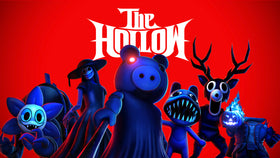
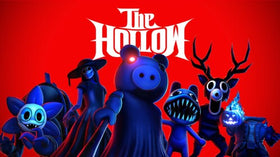
Roblox launched The Hollow as a limited-time, platform-wide Halloween survival event with daily mazes, participating experiences, quests and exclusive avatar rewards. Roblox says players earn rewards by completing quests, and reward collection continues until noon Pacific Time on November 2, 2026. Active Roblox Plus subscribers also receive early hub access and an exclusive item launcher for gifting items.
On October 23, a player reported on the official Roblox Developer Forum that their ticket count stopped updating after earning a Bloxburg badge, and that later DOORS and Flee the Facility badges did not unlock their respective claims. In a separate report, another player said the Ao Oni UGC claim was not working despite owning the relevant badge. Those are specific reports, not evidence that “thousands” of players are affected; no verified public count establishes that scale.
Sources: Roblox’s official event announcement, ticket and item grant bug report, and Ao Oni UGC claim report.
Try these troubleshooting steps in order
1. Confirm the requirement on the actual reward card
Open The Hollow from Roblox’s official experience listing and inspect the specific reward or quest card. Check whether it requires a badge, a completed in-game objective, a separate claim interaction, or another condition. Do not rely on a reposted checklist or an unofficial reward page if it conflicts with the live hub.
2. Verify the Roblox account and badge
Make sure the participating game and The Hollow are open under the same Roblox account. Visit the relevant experience’s badge page or your profile to confirm the badge was actually awarded. A quest that looks complete in a game may not have registered the event’s required badge or completion condition.
3. Return to the hub and use the claim button
After completing a task, return to The Hollow and inspect the reward card again. If a claim button is present, select it and wait for the result. Some reward flows require a separate claim step; simply completing a task should not be assumed to add the item automatically.
4. Rejoin once and check the inventory
Leave the experience, reopen it from the official listing, and check the ticket total and reward status again. If the item was successfully claimed, check the appropriate Avatar or Customize inventory category. Avoid repeatedly replaying a long quest until you have confirmed that the original completion did not register.
5. Check for a wider Roblox issue before repeating the quest
If the ticket count still does not change, check Roblox Status and the official Developer Forum bug reports. Keep a screenshot of the completed requirement, badge, reward card and any error message. Report the issue through Roblox’s official support channels if it persists.
What not to do
- Do not share your password, verification code, browser cookie or account session with anyone promising to repair a reward.
- Do not install a third-party “claim fix,” launcher or script. These are not verified solutions and may put your account at risk.
- Do not assume that every missing reward is caused by the same bug. A missing badge, incomplete objective, delayed refresh and server-side claim failure can look similar but require different checks.
- Do not trust a claim that a workaround is guaranteed unless Roblox confirms it.
How to report a missing ticket or item
Include your Roblox username (never your password), the experience where you completed the objective, the reward name, the badge if applicable, the approximate time, and screenshots showing the requirement and claim status. Link to an existing Developer Forum report if it describes the same behavior, but avoid posting private account details publicly.
Frequently asked questions
Is The Hollow ticket claim bug confirmed?
Players have posted specific reports about ticket totals and UGC claims not updating. That confirms reports exist; it does not establish that every player is affected or that Roblox has confirmed one universal outage.
Does earning a badge guarantee the UGC item?
Not necessarily. Confirm the exact requirements shown on the live reward card and check whether a separate claim action is required. If the badge is present but the claim still fails, document the issue and report it.
Will rejoining fix the problem?
Rejoining can refresh a stale session, so it is a reasonable low-risk step. It cannot fix every server-side or experience-specific problem, and success is not guaranteed.
When does The Hollow reward collection end?
Roblox’s announcement says players can continue collecting rewards until noon Pacific Time on November 2, 2026. Check the live event hub for each reward’s own requirements and availability.
Bottom line
The most useful response to a missing Hollow reward is to verify the exact requirement, confirm the badge and account, return to the hub to claim, and rejoin once before repeating a quest. Public reports show that some players have encountered claim problems, but a verified affected-player total and a universal fix have not been established. Keep evidence and use Roblox’s official channels rather than risking your account on third-party fixes.
Related reading: Roblox The Hollow UGC rewards: how to claim items and find them in inventory · Roblox The Hollow event start date and confirmed details.